



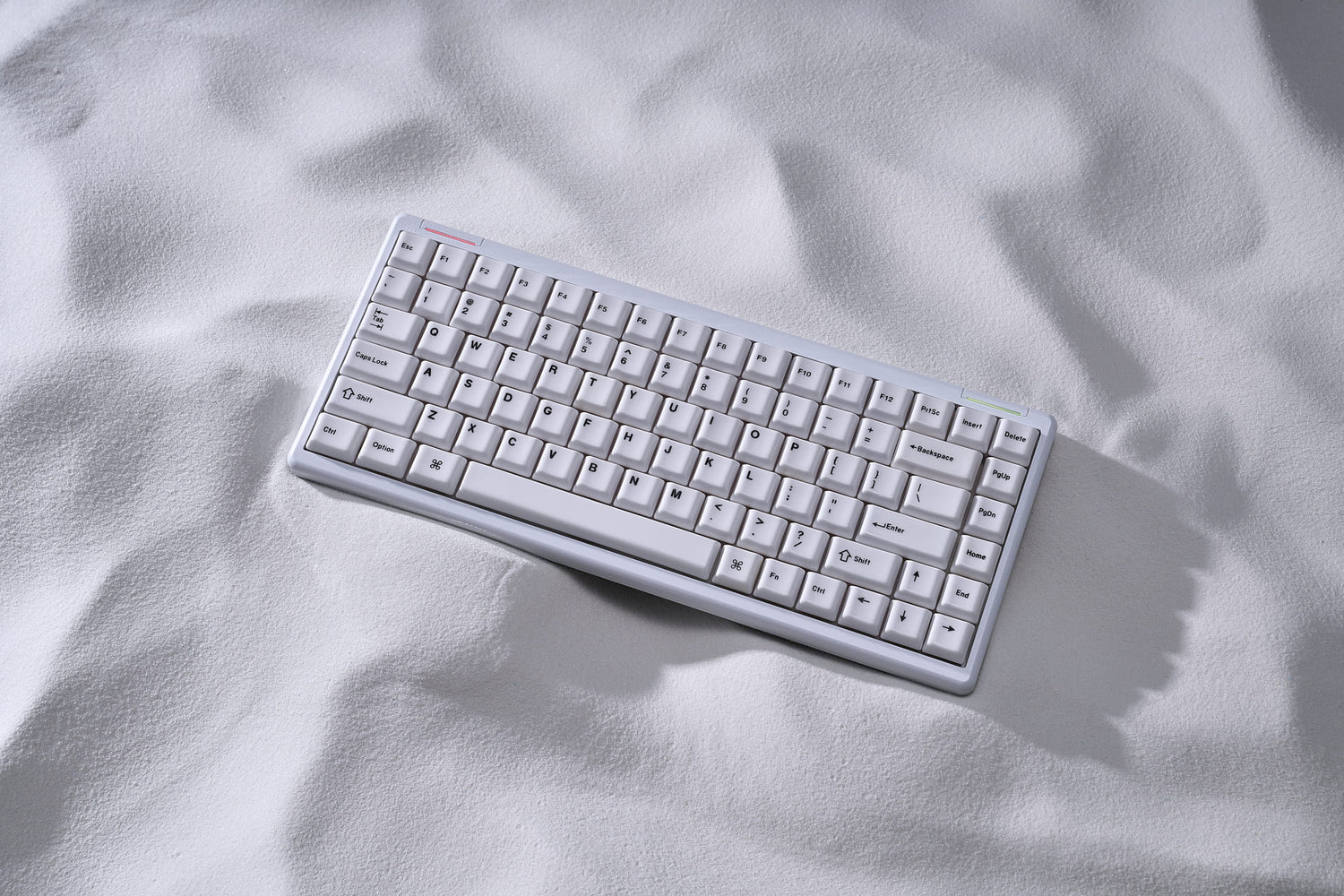
If you spend more than eight hours a day typing, you’ve probably felt that familiar, dull ache in your wrists. For years, mechanical keyboard enthusiasts accepted a harsh truth: if you wanted that satisfying tactile feel, you had to endure a bulky, high-profile brick on your desk. High-profile boards often force your wrists into an unnatural, upward angle, making a wrist rest an absolute necessity rather than an option.
But the landscape has shifted. Low-profile mechanical keyboards have evolved from a niche alternative into a dominant force in the workspace and gaming setups alike.
But are they actually better for your daily workflow, or are they just a sleek marketing trend? Let’s dive deep into the mechanics, the ergonomics, and what a low-profile setup means for your overall typing experience.
1. The Ergonomics: Can Slimmer Boards Save Your Wrists?
The primary driver behind the low-profile movement isn't just aesthetics—it's pure anatomy. Standard mechanical keyboards, when paired with high-profile keycaps like the traditional SA or even standard Cherry profile, usually stand over 30mm tall. This height forces your hands into a state of wrist extension.
Low-profile keyboards slash this height in half. By keeping the entire board closer to the desk surface, your wrists maintain a much flatter, neutral alignment.
According to comprehensive ergonomic studies on computer input devices (such as those highlighted in research from the University of California), maintaining a neutral wrist angle can reduce localized muscle fatigue and strain by up to 50% compared to steep-angled traditional setups. If you want to build an ultra-efficient, minimalist setup that keeps your hands comfortable during marathon coding or writing sessions, reducing the physical height of your board is the fastest way to get there.
2. Speed and Precision: The Low-Profile Switch Advantage
For gamers and fast typists, the magic of low-profile boards lies right beneath the keycaps. Traditional mechanical switches typically feature a total travel distance of 4.0mm with an actuation point around 2.0mm.
Low-profile switches—engineered by industry leaders like Cherry MX, Gateron, and Kailh—completely rewrite these specs.
- Shorter Key Travel: Total travel is often reduced to 2.5mm–3.0mm.
-
Lightning-Fast Actuation: The actuation point drops to anywhere between 1.0mm and 1.5mm.
When every single millisecond dictates the outcome of a competitive match, this shorter distance is a massive competitive edge. In fact, a recent hardware preference survey byTom's Hardware noted that over 60% of competitive gamers prioritize key responsiveness and actuation speed above all else. You don’t need to bottom out the key to register a command; the switch responds instantly to the slightest intent.
3. The Elephant in the Room: Sound Profile and Keycap Dynamics
Let’s be honest. The biggest hesitation keyboard hobbyists have when moving to a low-profile board is the sound profile (Acoustics).
Because low-profile cases are inherently thin, they have significantly less internal acoustic space. Traditional high-profile boards rely on a large case cavity to resonate and create that deep, satisfying, sought-after "thocky" sound. Without modification, many out-of-the-box low-profile keyboards can sound hollow, clacky, or thin due to the lack of space and the standard, lightweight ABS plastic keycaps they come with.
How to Upgrade Your Low-Profile Experience
Does opting for a slimmer desk layout mean you have to sacrifice premium acoustic feedback? Not necessarily. The secret lies in the density of your components.
💡 Enthusiast Tip: The thinner the case, the more crucial the material of your keycaps becomes. Standard plastic caps struggle to dampen the sharp vibration of low-profile switches.
To counter the hollow acoustics of slim housings, many users look for modifications or high-density alternative setups. While standard low-profile switches require proprietary stems, the industry is shifting toward compatibility. Shifting your layout to compact but structurally dense designs—like a premium 60% or 75% layout paired with advanced materials—can drastically alter your acoustic experience.
If you appreciate a unique, crisp, and substantial tactile feedback that standard plastic can never replicate, exploring advanced materials like ceramic upgrades on low-profile compatible layouts (such as our Cerakey Low-Profile Collections can completely transform a hollow-sounding board into a premium, resonant masterpiece.
4. Portability Meets the Modern Hybrid Workspace
Beyond ergonomics and speed, the rise of low-profile keyboards is deeply tied to how our work environments have changed. The era of being tethered to a single corporate cubicle is over. Modern professionals are inherently mobile, splitting time between home offices, hot-desking spaces, and local coffee shops.
Carrying a full-sized, two-kilogram custom mechanical keyboard in a backpack is highly impractical. Low-profile mechanical keyboards offer a flawless compromise. They deliver the crisp, tactile, mechanical feedback that membrane laptop keyboards completely lack, all while remaining slim enough to slide effortlessly into a standard laptop sleeve. A recent remote work study published by TechRadar confirmed that 47% of hybrid employees prefer compact, low-profile peripherals specifically to maintain an optimal balance between on-the-go productivity and physical desktop comfort.
Conclusion: Should You Make the Switch?
The low-profile mechanical keyboard is no longer a compromise—it is a deliberate choice for those who value speed, modern minimalist aesthetics, and long-term wrist health. They deliver the speed that gamers crave and the clean design that complements any modern workspace.
If you are ready to transition to a sleeker desk setup but are worried about losing that premium, high-end feel, remember that customization doesn’t stop at the switch level. By choosing the right layouts, solid builds, and high-density keycap materials, you can build a low-profile workstation that looks stunning, feels effortless, and sounds incredibly satisfying.
🙋 Frequently Asked Questions
1. Can I put standard custom keycaps on a low-profile mechanical keyboard?
It depends entirely on the switch stem. Many modern low-profile switches (like Gateron or Cherry low-profile) use the standard MX-style cross stem, but because the switch housing is lower, standard high-profile keycaps (like OEM or SA profile) might hit the keyboard top plate when bottoming out. For the best experience, always look for dedicated low-profile keycaps or low-profile compatible profiles.
2. Do low-profile keyboards last as long as traditional mechanical keyboards?
Yes. Major manufacturers rate low-profile mechanical switches for 50 million to 100 million keystrokes, which matches the lifespan of industry-standard full-sized switches. They utilize the exact same high-quality physical copper leaf contacts and spring mechanisms, just housed in a condensed form factor.
3. Are low-profile keyboards quiet enough for an open office?
Generally, yes. Because low-profile switches have shorter travel distances and less internal case air space to amplify sound, they tend to be quieter than their full-sized counterparts. Opting for a linear low-profile switch combined with a high-density keycap material will ensure a very discrete, workplace-friendly sound signature.


Laisser un commentaire
Ce site est protégé par hCaptcha, et la Politique de confidentialité et les Conditions de service de hCaptcha s’appliquent.