




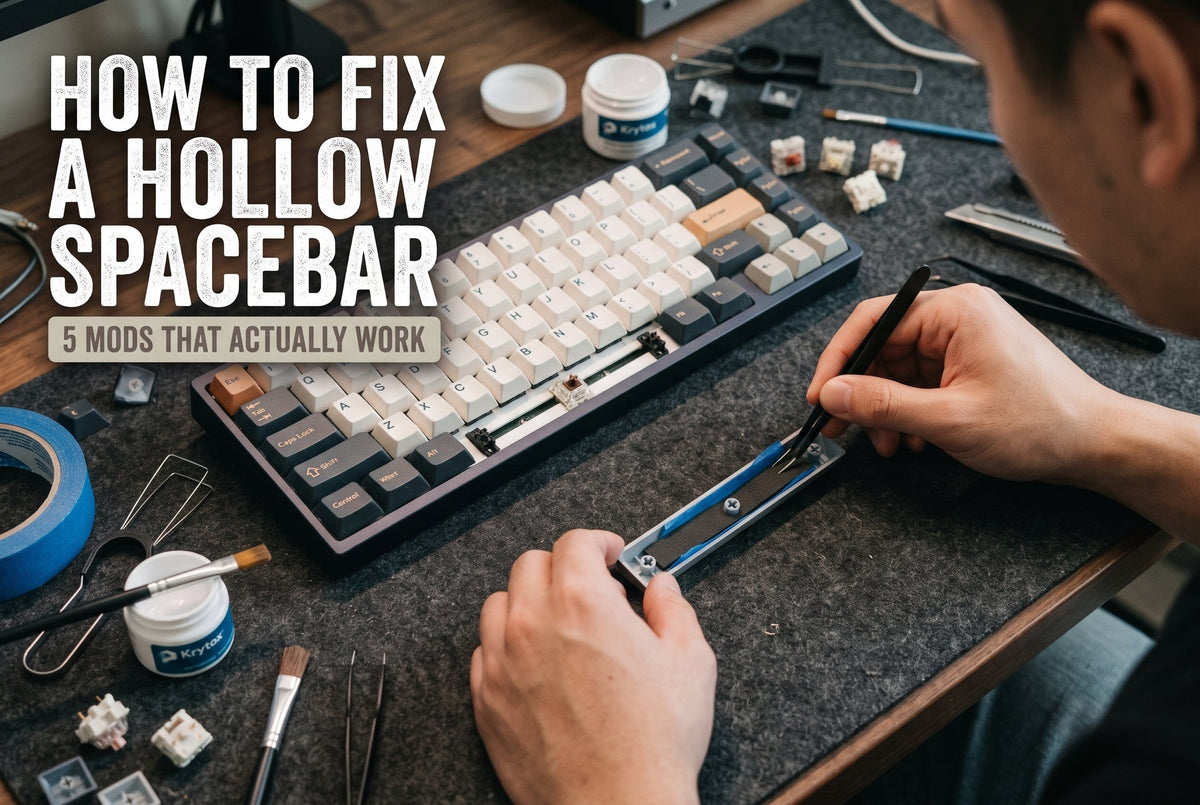
You spend two hours lubing every switch by hand, snap on a fresh set of keycaps, sit down to type your first sentence—and THWACK. Every key sounds crisp except the spacebar, which echoes like an empty plastic Tupperware container.
It is the single most common complaint in mechanical keyboard building, and it comes down to basic acoustics. A standard 6.25u spacebar is roughly six times wider than an ordinary letter key. Flip it upside down, and you are looking at a long, hollow resonance chamber. Every time your thumb bottoms out the switch, that empty cavity traps and amplifies high-frequency vibrations—especially if your board came with thin, 1.1mm stock ABS keycaps.
Last month, I spent an afternoon on my workbench A/B testing seven popular spacebar fixes across two very different boards: a budget tray-mount plastic 65% and a heavy CNC-machined aluminum gasket board. Using a desk-mounted condenser mic and a basic decibel meter 12 inches from the keycap, I separated the mods that genuinely deepen the acoustic profile from the internet myths that just ruin your key feel.
Here is how the five best fixes stack up, followed by exact steps to get them right on the first try.
Quick Comparison: The 5 Best Spacebar Mods
| Mod Method | Sound Change | Est. Cost | Time Needed | Difficulty | Reversible? |
| 1. Poron / EVA Foam Insert | Kills echo; muted, dense thud | $3–$6 | 3 mins | Beginner | Yes |
| 2. Painter’s Tape Weighting | Lowers pitch from clack to thock | $4 (1 roll) | 5 mins | Beginner | Yes |
| 3. PTFE Plumber’s Tape on Wires | Removes metallic tick & rattle | $2 (1 roll) | 15 mins | Intermediate | Yes |
| 4. Dedicated Long-Pole Switch | Crisp, solid bottom-out impact | $2–$5 | 2 mins | Beginner | Yes |
| 5. Thick 1.6mm PBT Keycap | Warm, natural acoustic absorption | $35–$75 | 1 min | Beginner | Yes |

1. Drop In Precision-Cut Spacebar Foam (Poron or EVA)
If you want the fastest fix without pulling your keyboard apart, start inside the keycap itself. Filling that empty plastic cavern with open-cell foam stops sound waves from bouncing back and forth before they ever reach your ears.
On my aluminum test board, a pre-cut 2.5mm Poron strip dropped the peak volume of the spacebar by nearly 4 dB and shaved off almost all the harsh, high-pitched overtones.
How to do it without ruining your key feel:
- Pull off your spacebar using a wire keycap puller (never yank it from one side, or you risk bending the stabilizer wire).
- Lay strips of 2mm to 3mm Poron or EVA keyboard foam into the empty pockets on either side of the center stem.
- Leave a 2mm gap around the center stem and the two outer stabilizer mounts.
The catch: Do not over-stuff it. During testing, I packed 4mm of dense silicone into a Cherry-profile spacebar, and the foam pressed directly against the stabilizer housings on the downstroke. The spacebar felt sluggish and mushy on the return. Less is more—you only need to break up the open air space, not pack it like a suitcase.
2. Add Mass with Two Layers of Painter’s Tape
Foam absorbs airborne echo inside the keycap, but the plastic shell itself still vibrates when it slams into the switch housing. In acoustics, heavier objects vibrate at lower frequencies. By adding a tiny bit of controlled weight to the inside roof of the spacebar, you shift that cheap, high-pitched clack down into a deeper thock.
Skip the duct tape and electrical tape—both leave behind a sticky, gummy mess after six months of warm room temperatures. Instead, grab standard blue 3M painter’s tape (or masking tape).
How to apply it:
- Cut two strips of painter’s tape slightly narrower than the inside width of your spacebar.
- Press the first layer flat against the inner ceiling of the keycap, avoiding the three cross-shaped stems.
- Layer a second strip directly over the first and trim any overhanging edges with an X-Acto knife.
Two layers add roughly 1.2 to 1.5 grams of mass. That is the sweet spot: heavy enough to kill plastic ping, light enough that even a standard 45g linear switch still snaps back effortlessly.
3. Wrap Stabilizer Wires with PTFE Plumber’s Tape
Sometimes a "hollow" spacebar is actually two problems masquerading as one: keycap echo plus stabilizer wire rattle. When the metal stabilizer wire ticks against the plastic stem housing, your brain registers that sharp metallic click as thinness and hollowness.
For years, builders swore by the "Holee Mod" (stuffing tiny strips of fabric Band-Aid inside the stabilizer stem). Honestly, after building dozens of boards, I rarely recommend it anymore. Band-Aids feel mushy for the first three or four days until the adhesive compresses, and in humid climates, the fabric eventually peels loose and jams the stem.
A cleaner, longer-lasting alternative is $2 PTFE plumber’s tape from any hardware store:
- Pop your stabilizers out (or unclip the wire if you use plate-mounted stabs) and wipe the ends clean with isopropyl alcohol.
- Wrap a single, tight layer of thin white PTFE tape around the straight tip of the wire—about 1.5 revolutions—stopping right before the 90-degree bend.
- Brush a light, even coat of Krytox 205g0 switch and stabilizer lube over the wrapped wire before snapping it back into the housing.
You get 95% of the rattle elimination of a Holee mod with zero break-in mushiness—and it stays put for years.

4. Put a Dedicated Long-Pole Switch Under the Spacebar
Here is a trick seasoned custom builders use on almost every board, even when they leave the rest of the switches completely stock: swap out only the spacebar switch.
Most standard switches bottom out on the center pole or the side rails simultaneously, sending vibration straight into the plate. Long-pole switches have an extended center stem that hits the bottom housing first, producing a crisp, concentrated, remarkably dense sound.
Try dropping a single long-pole tactile or heavy linear switch (such as a 62g tactile or an 80g linear) under your spacebar while keeping lighter 45g switches on your alphas. Because you strike the spacebar with your thumb—by far your strongest digit—a slightly heavier, long-pole switch feels noticeably more authoritative and eliminates accidental thumb presses while gaming or resting your hands.
(Note: This requires a hot-swappable PCB. If your board is soldered, stick to Mods 1, 2, and 5.)
5. Upgrade to Thick Double-Shot PBT Keycaps (1.5mm–1.7mm)
You can tape, foam, and lube a paper-thin keycap all afternoon, and it will still lose to raw material physics.
Most pre-built keyboards ship with thin (1.0mm to 1.2mm) laser-etched ABS keycaps to keep manufacturing costs low. Thin ABS flexes microscopically on impact and rings like a snare drum. Switching to a thick 1.6mm double-shot PBT keycap setcompletely changes the acoustic floor of your keyboard. PBT is a denser, stiffer polymer that naturally dampens high-frequency resonance.
When I swapped the stock 1.1mm ABS spacebar on my budget test board for a 1.6mm Cherry-profile PBT spacebar—with zero foam or tape installed—the raw volume dropped by 5.5 dB, and the harsh plastic slap turned into a muted, woody tap.
Two Popular Spacebar "Fixes" You Should Avoid
If you dig through older Reddit threads or TikTok videos, you will see people recommending DIY kitchen-sink hacks. Do yourself a favor and skip these two:
- Pouring liquid silicone into the keycap: Not only is it messy and irreversible, cured silicone adds 8 to 12 grams of dead weight. On a standard 45g or 50g switch, your spacebar will get stuck halfway down or feel like typing on wet concrete.
- Filling the underside with hot glue: Hot glue guns run between 250°F and 380°F—more than hot enough to subtly warp a 6.25u ABS spacebar. Once a spacebar warps by even half a millimeter, the stabilizer wires bind permanently.
Ready to Tune Your Board?
You do not need to buy a brand-new $300 custom kit to get that deep, studio-grade acoustic profile. Start with $5 worth of Poron foam and painter's tape—that alone solves 80% of spacebar echo in under ten minutes. If you are ready to overhaul both the sound and the typing feel of your setup, explore our curated Stabilizer & Acoustic Modding Kits or browse our 1.6mm Thick PBT Keycap Sets built specifically to eliminate hollow keystroke ping.
Frequently Asked Questions
Why does only my spacebar sound hollow while my other keys sound fine?
Two reasons: internal air volume and stabilizer hardware. A 6.25u spacebar has roughly six times the hollow cavity of a standard 1u keycap, acting like an acoustic chamber. It also relies on a long metal stabilizer wire that rattles against plastic housings if under-lubed.
Will adding foam or tape make my spacebar feel heavier?
A single strip of 2mm Poron foam weighs less than 0.5 grams—you will not feel any difference under your thumb. Two layers of painter's tape add about 1.3 grams, which is completely unnoticeable on any switch rated at 45g or higher.
Do rubber O-rings fix a hollow-sounding spacebar?
No. O-rings sit around the keycap stem to shorten travel distance and cushion the downstroke, which actually makes the spacebar feel mushy without filling the empty acoustic cavity inside the keycap. Foam inserts or thick PBT caps are much better solutions.

コメントを書く
このサイトはhCaptchaによって保護されており、hCaptchaプライバシーポリシーおよび利用規約が適用されます。