

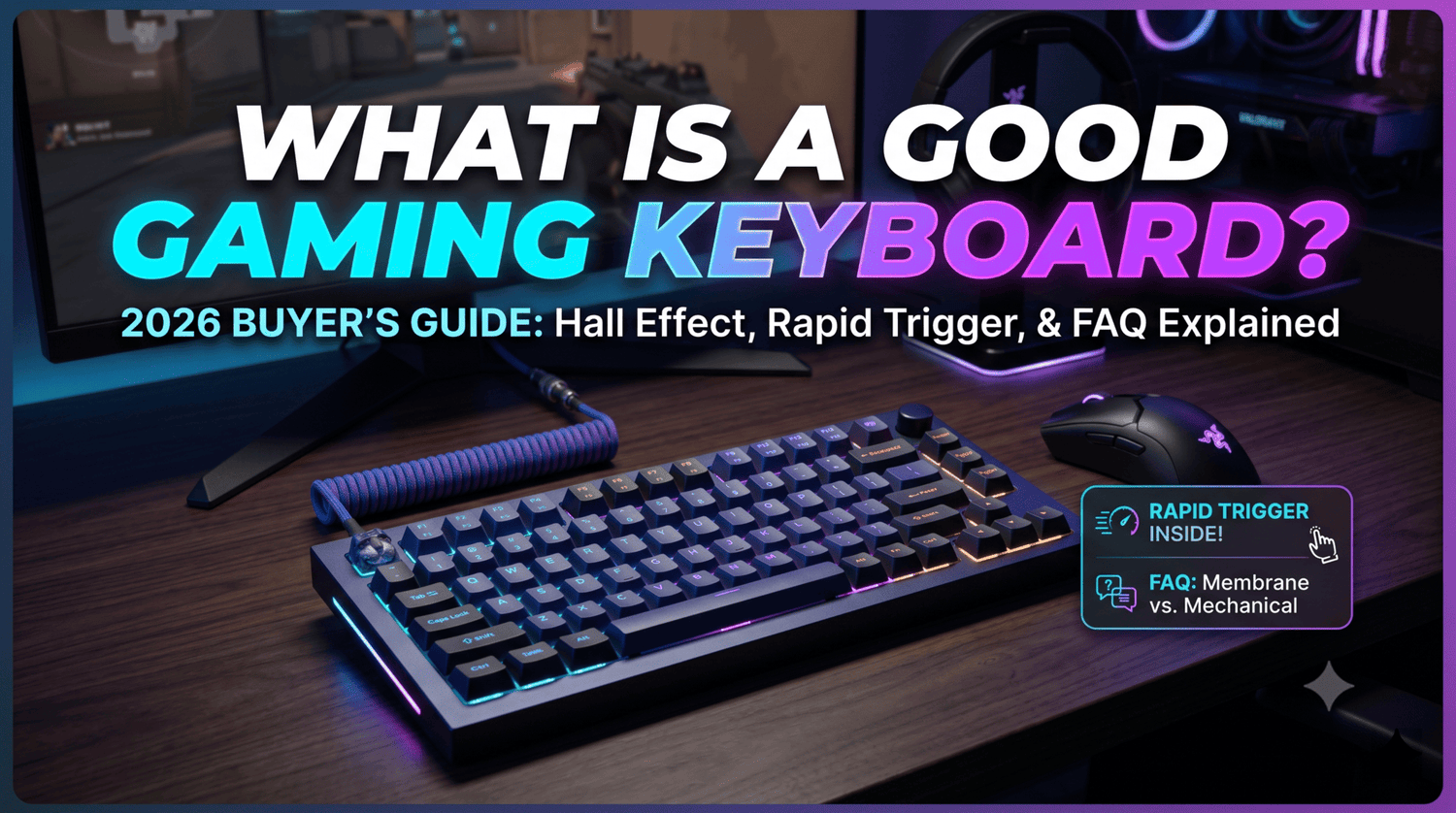
아직도 흐물거리는 사무용 멤브레인 키보드로 게임을 하고 있다면 지는 싸움을 하고 있는 것입니다. 경쟁 게임에서 찰나의 지연은 승리와 답답한 부활 화면 사이의 차이를 만듭니다.
하지만 오늘날 게이밍 주변기기 시장에 들어서면 기술 미로에 들어서는 기분입니다. 홀 이펙트, 래피드 트리거, 스냅 탭과 같은 마케팅 용어가 난무하는 가운데, 진정으로 좋은 게이밍 키보드를 찾는 것은 압도적으로 느껴질 수 있습니다.
훌륭한 게이밍 키보드는 단순히 화려한 RGB 조명만을 의미하지 않습니다. 속도, 신뢰성, 물리적 폼 팩터 및 개인화된 편안함의 정밀한 조화입니다. 마케팅의 허풍을 걷어내고 2026년에 게이밍 키보드를 "좋게" 만드는 것이 정확히 무엇인지 분석해 봅시다.
1. 키보드의 심장: 스위치 기술
키캡 아래의 스위치는 키보드가 느껴지고, 소리가 나고, 반응하는 방식을 결정합니다. 전통적인 기계식 스위치도 여전히 훌륭하지만, 환경은 극적으로 진화했습니다.
전통적인 기계식 스위치
물리적인 금속 접점을 사용합니다. 신뢰할 수 있고, 고도로 사용자 정의할 수 있으며, 세 가지 주요 유형으로 나뉩니다.
- 리니어(예: 적축): 부드럽고 조용합니다. 빠른 속도의 게임에서 빠른 더블 탭에 이상적입니다.
- 택타일(예: 갈축): 작동 지점에서 약간의 걸림이 있습니다. 타이핑도 많이 하는 하이브리드 게이머에게 적합합니다.
- 클릭키(예: 청축): 시끄럽고 촉각적입니다. 사용하기 재미있지만 디스코드 친구들은 싫어할 것입니다.
마그네틱(홀 이펙트) 스위치: 2026년 표준
발로란트, 에이펙스 레전드, 카운터 스트라이크 2와 같은 경쟁 슈팅 게임을 플레이한다면 홀 이펙트(HE) 마그네틱 스위치가 현재의 황금 표준입니다. 물리적인 접점 대신 자석을 사용하여 키 입력을 감지합니다.
이는 게임을 변화시키는 기능을 제공합니다.
- 조정 가능한 작동 거리: 키를 얼마나 깊이 눌러야(초고감도 0.1mm부터 깊은 4.0mm까지) 동작이 트리거되는지 정확히 결정할 수 있습니다.
- 래피드 트리거: 전통적인 스위치는 다시 누르기 전에 고정된 재설정 지점을 지나야 합니다. 래피드 트리거는 손가락을 떼는 즉시 키를 재설정합니다. 이를 통해 거의 즉각적인 카운터 스트레이핑이 가능합니다.
찾아야 할 것: Wooting 80HE 또는 SteelSeries Apex Pro TKL Gen 3와 같은 엘리트 보드는 타의 추종을 불허하는 HE 성능을 제공합니다. 예산이 부족하다면 Gamakay × NaughShark NS68과 같이 자기 스위치를 저렴한 가격에 제공하는 옵션을 찾아보세요.
2. 크기가 중요: 올바른 레이아웃 선택
더 넓은 책상 공간은 거대하고 낮은 감도의 마우스 스와이프를 위한 더 많은 공간을 의미합니다. 이것이 풀사이즈 키보드가 더 이상 게이머를 위한 기본 선택이 아닌 이유입니다.
| 키보드 크기 | 포함된 구성 | 최적의 사용 용도 |
| 풀사이즈 (100%) | 숫자패드, 방향키, 기능열 | MMO 플레이어, 매크로 사용자, 하이브리드 작업/게임 설정. |
| 텐키리스 (TKL / 80%) | 숫자패드 없음, 방향키 및 F열 유지 | 대부분의 게이머에게 최적의 선택. 컴팩트하면서도 기능적입니다. |
| 75% / 65% | 초소형, 촘촘하게 배열된 방향키 | 미니멀리스트 설정; 마우스 이동을 위한 책상 공간을 극대화합니다. |
| 60% | 핵심 타이핑 키만 포함; 전용 방향키 없음 | 키보드를 비스듬히 기울여 사용하는 하드코어 FPS 플레이어. |
오직 게임만 플레이한다면, TKL 또는 75% 레이아웃(Asus ROG Strix Scope II 96 또는 Razer Huntsman V3 Pro TKL과 같은)이 컴팩트한 디자인과 일상적인 유용성 사이의 완벽한 균형을 제공합니다.
3. 빌드 품질: 키캡 및 스테빌라이저
좋은 키보드는 텅 빈 플라스틱 장난감처럼 느껴지는 것이 아니라 고급 도구처럼 느껴져야 합니다. 다음 구조적 요소에 주의하세요.
- PBT vs. ABS 키캡: 저렴한 키보드는 ABS 플라스틱 키캡을 사용하는데, 시간이 지남에 따라 손가락 기름으로 인해 광택이 나고 번들거립니다. 이중사출 PBT 키캡을 찾으세요. 이들은 질감이 있는 무광택 마감 처리되어 마모에 강하고 손가락 아래에서 훨씬 더 우수하게 느껴집니다.
- 음향 댐핑: 고품질의 현대 게이밍 키보드에는 케이스 내부에 실리콘 또는 포론 폼 레이어가 포함되어 있습니다. 이는 텅 비고 울리는 소음을 제거하여 더 깊고 만족스러운 "떡" 소리를 냅니다.
- 핫스왑 PCB: 핫스왑 보드를 사용하면 납땜 인두를 사용하지 않고도 스위치를 빼내고 교체할 수 있습니다. 스위치 하나가 고장나면 150달러짜리 키보드를 버리는 대신 해당 스위치만 교체하면 됩니다.
4. 연결성: 유선 vs. 무지연 무선
무선 키보드가 지연된다는 오래된 신화는 공식적으로 사라졌습니다. 로지텍의 라이트스피드(Lightspeed)나 레이저의 하이퍼스피드(Hyperspeed)와 같은 현대적인 2.4GHz 무선 기술은 표준 유선 연결의 지연 시간과 같거나 더 좋습니다.
- 유선을 선택해야 하는 경우: 영구적인 "배틀 스테이션" 설정이 있거나, 돈을 절약하고 싶거나, 높은 폴링 레이트(예: 8,000Hz 유선 폴링)를 통해 최대 성능을 추구하는 경우.
- 무선을 선택해야 하는 경우: 케이블 지저분함을 싫어하거나, 미니멀리스트 책상 설정을 사용하거나, 게임용 PC와 노트북 사이를 자주 전환하는 경우.
최종 판결: 무엇을 사야 할까요?
"좋은" 게이밍 키보드는 전적으로 예산과 게임 장르에 따라 달라집니다.
경쟁 FPS 플레이어라면 마그네틱 홀 이펙트 스위치와 컴팩트한 레이아웃을 갖춘 키보드를 우선적으로 고려하세요. 몰입형 RPG, 캐주얼 게임, 에세이 타이핑을 좋아한다면 빌드 품질, 부드러운 리니어 스위치, 풍부한 내부 댐핑에 중점을 둔 핫스왑 가능한 기계식 키보드를 찾으세요.
나머지 장비를 업그레이드할 준비가 되셨나요? 올해 최고의 게이밍 마우스에 대한 실제 분석을 확인하거나, 꿈의 게임 공간을 만들기 위해 선별된 궁극의 책상 설정 가이드를 살펴보세요.
💡 자주 묻는 질문 (FAQ)
기계식 키보드가 멤브레인 키보드보다 게임에 실제로 더 좋습니까?
네, 물론입니다. 기계식 키보드는 더 빠른 반응 시간, 뚜렷한 촉각 피드백, "N키 롤오버"(여러 키를 동시에 누르는 기능)를 제공합니다. 멤브레인 키보드는 더 저렴하지만, 종종 흐물흐물하게 느껴지고 강렬한 게임 세션 중에 입력이 지연되거나 완전히 누락되는 고스팅을 유발할 수 있습니다.
캐주얼 게이머에게 마그네틱 스위치가 가치가 있습니까?
주로 캐주얼 RPG, 전략 게임을 하거나 PC를 업무용으로 사용하는 경우, 전통적인 기계식 스위치로도 충분합니다. 그러나 발로란트, 에이펙스 레전드, 포트나이트와 같은 경쟁 멀티플레이어 게임을 플레이하는 경우, 마그네틱(홀 이펙트) 스위치의 래피드 트리거 기능은 눈에 띄는 경쟁 우위를 제공합니다.
작은 책상에 가장 적합한 키보드 크기는 무엇입니까?
75% 또는 65% 키보드는 작은 책상에 가장 적합합니다. 부피가 큰 숫자패드를 제거하면서도 중요한 방향키는 유지하여 게임용 마우스가 움직일 충분한 공간을 제공하며, 일상적인 탐색 단축키를 포기할 필요가 없습니다.
RGB 조명이 게임 성능에 영향을 미칩니까?
아니요, RGB 조명은 순전히 미적인 요소입니다. 게임 내 핑을 낮추거나 조준을 개선하지는 않지만, 고품질의 사용자 정의 가능한 백라이팅은 어두운 방에서 키를 명확하게 볼 수 있도록 돕고 게임 공간을 개인화할 수 있습니다.

댓글 남기기
이 사이트는 hCaptcha에 의해 보호되며, hCaptcha의 개인 정보 보호 정책 과 서비스 약관 이 적용됩니다.