





Let’s be honest: the term "gaming keyboard" has been hijacked.
For years, mainstream tech giants have milked the "gamer" aesthetic for all its worth. They take a cheap plastic chassis, toss in some loud, clackety switches, slap on a hyper-bright RGB strip, and wrap it in marketing buzzwords like "ultra-low latency" or "military-grade durability." Then, they slap a $200 price tag on it.
The result? You end up with a keyboard that feels hollow, sounds like a tap-dancing skeleton on a tin roof, and offers no real competitive advantage.
But the keyboard landscape has fundamentally shifted. In 2026, the lines between ultra-fast esports performance and premium, enthusiast-grade build quality have completely blurred. Today’s players want more than just 0.1ms response times—they want a deep, satisfying "thocky" acoustic profile, premium materials under their fingertips, and a board that looks like a piece of art on their desk.
If you are looking to upgrade your setup, here is the honest, no-BS breakdown of what actually makes a gaming keyboard "good" today, what features are pure marketing fluff, and how to get the absolute best bang for your buck.
The 2026 Gaming Keyboard Checklist
Before we dive into the technical details, here is a quick baseline of what you should expect from a gaming keyboard today, depending on your budget and dedication:
| Core Features | The Bare Minimum (Entry-Level "Good") | The Gold Standard (Enthusiast-Grade) |
| Switch Tech | Standard Mechanical (Linear) | Magnetic / Hall Effect (HE) Switches |
| Hot-Swappability | Yes (3-pin or 5-pin support) | Yes (Screwless or magnetic plate mounting) |
| Acoustics & Mount | Tray Mount with basic plate foam | Gasket Mount with multi-layer Poron foam |
| Keycap Material | Double-shot PBT (Standard thickness) | Premium Ceramic or Extra-Thick PBT (1.5mm+) |
| Latency & Polling | 1,000Hz (Wired or stable 2.4GHz) | 8,000Hz Polling + Rapid Trigger |
| Software | Proprietary desktop driver | Web-based driver (VIA/QMK compatible) |
1. Switches: Standard Mechanical vs. Magnetic (Hall Effect)
If you play competitive, fast-paced shooters like Valorant, Apex Legends, Counter-Strike 2, or Fortnite, standard mechanical switches are officially legacy technology.
Today, Magnetic (Hall Effect) switches are the gold standard for gaming.
Unlike traditional mechanical switches that rely on physical metal contacts touching to register a keystroke, HE switches use magnets and sensors to measure the exact distance a key is pressed. This unlock two game-changing features:
- Adjustable Actuation: You can customize exactly how deep you have to press a key for it to register—from a hyper-sensitive 0.1mm for instant reactions, to a deep 4.0mm to avoid accidental fat-finger presses while typing.
- Rapid Trigger (RT): Traditional switches must rebound past a fixed reset point before you can press them again. Rapid Trigger resets the key the millisecond you start lifting your finger. This allows for near-instantaneous strafe-stopping, jiggly-peeking, and rapid-fire inputs that physical copper leaf switches simply cannot replicate.
The Verdict: If gaming is your primary focus, look for HE (Hall Effect) Magnetic switches. If you prefer a traditional typing feel, stick with high-quality, pre-lubed Linear mechanical switches. Avoid clicky (blue) switches entirely—they are loud, slow to reset, and universally disliked in competitive gaming.
2. Acoustics: Say Goodbye to "Pingy" Metal and Hollow Plastic
For a long time, buying a pre-built gaming keyboard meant tolerating a terrible sound profile. They were hollow, resonant, and had an annoying high-pitched metallic ping every time you hit the spacebar.
Today’s players demand excellent acoustics. A keyboard shouldn't just feel good—it should sound satisfying.
[Your Finger] ──> [Keycap] ──> [Switch] ──> [Plate & Foam] ──> [Case / Base]
                                                    │
                                          (Where the sound is
                                        dampened and "Thocked")
To achieve that deep, clean, "marbly" or "thocky" sound out of the box, a quality keyboard needs two things:
- Gasket Mount Design: Instead of screwing the keyboard plate directly into a rigid plastic or metal case, a gasket-mounted keyboard suspends the plate inside using silicone or foam tabs. This dampens the vibrations, offering a softer, more flexible typing feel and a much cleaner sound.
- Sound-Dampening Layers: Look for boards that feature multiple layers of internal dampening, such as Poron plate foam, IXPE switch pads, and silicone bottom cases.
While most enthusiasts spend hours disassembling and modding their keyboards with tape and foam to get this sound, modern engineering has brought this straight to pre-builts.
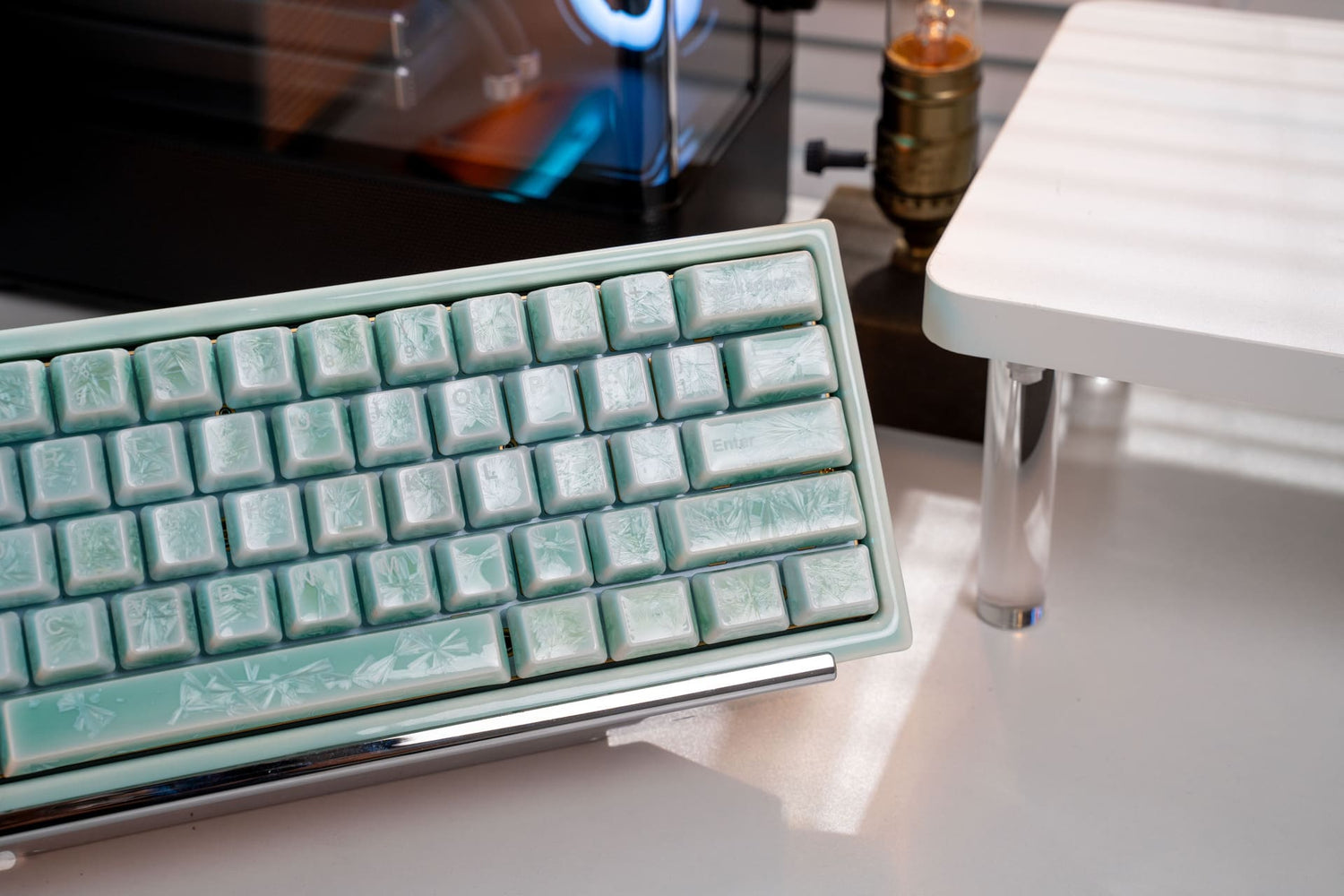
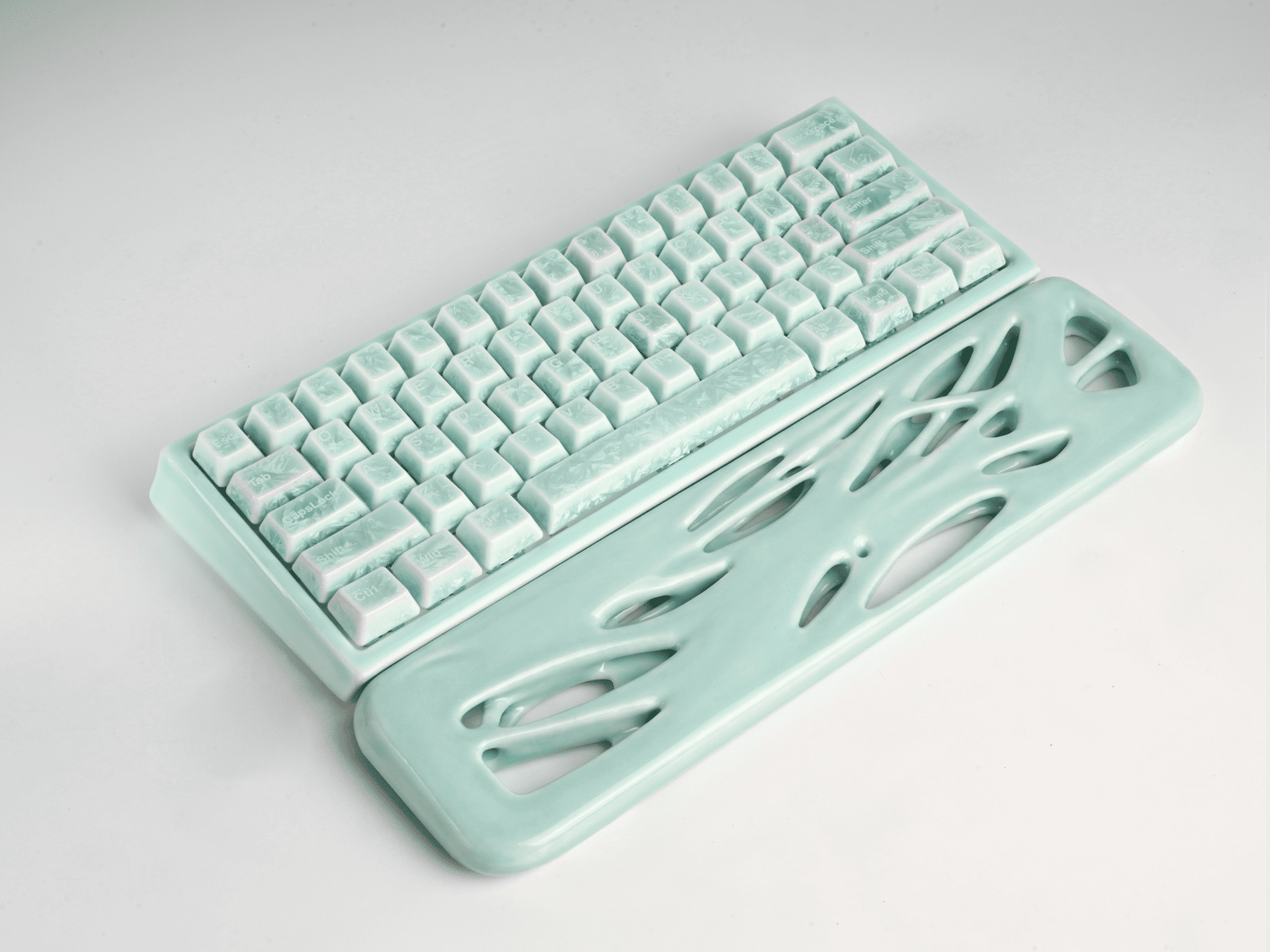
If you want to skip the tedious modding altogether and dive straight into the absolute peak of acoustic luxury, innovative materials are the ultimate shortcut. The Cerakey Peak60 HE is a perfect example of this. By utilizing a fully ceramic case and keycaps, which are far denser than traditional ABS or PBT plastic, it naturally absorbs high-pitched resonance. The result is a clean, heavy, marbly "thock" sound right out of the box that plastic keyboards simply cannot replicate.
3. Materials: PBT vs. Ceramic Keycaps
Nothing ruins a great keyboard faster than cheap keycaps. Most mainstream gaming keyboards ship with ABS plastic keycaps. Within a few months of intense gaming, the oils from your fingers will wear down the texture, leaving them looking shiny, greasy, and feeling incredibly slippery.
When looking at a keyboard's specs, look for these premium alternatives:
- Double-shot PBT: This is the industry benchmark for standard keyboards. PBT is a dense, textured plastic that resists shine and keeps its matte feel for years. "Double-shot" means the legends (the letters on the keys) are molded from a separate piece of plastic, ensuring they will never fade or rub off.
- Ceramic: For those looking for the absolute pinnacle of luxury and performance, ceramic keycaps are the ultimate upgrade. Ceramic offers a cool-to-the-touch, silky-smooth texture that plastic cannot match. Furthermore, because of its unique density and weight, ceramic keycaps increase the downforce on your switches, creating a deeply satisfying, heavy acoustic return and an incredibly stable typing feel.
4. Software: Less is More (The Bloatware Plague)
We’ve all been there: you plug in a new gaming keyboard, and suddenly your PC is begging you to install a 500MB software suite that wants to run constantly in the background, track your usage data, and hog your system resources.
An excellent gaming keyboard should not require bloated background software.
The best keyboards on the market today use web-based drivers or support open-source firmware like QMK/VIA. You simply open a tab in your Google Chrome browser, customize your keymaps, adjust your RGB, tweak your Rapid Trigger deadzones, and save the settings directly to the keyboard's onboard memory. Once saved, you can close the browser tab, and the keyboard remembers everything—even if you plug it into a completely different PC or console. No background processes, no system lag.
Red Flags: Features to Avoid
When shopping around, don't fall for these common marketing traps:
- "Gaming" Membrane Keyboards: If a keyboard is marketed as a "gaming keyboard" but uses a rubber dome membrane sheet underneath, skip it. They are mushy, unresponsive, and wear out quickly.
- 100% Full-Sized Layouts (Unless you need the Numpad): For gaming, a massive keyboard restricts your mouse space. Opt for a 75% or TKL (Tenkeyless) layout. It keeps your hands in a more natural, ergonomic position and gives your mouse arm plenty of room to make those wide, competitive swipes.
- Bluetooth-Only Wireless: Bluetooth is great for typing emails on an iPad, but its latency is far too high for gaming. If you want wireless, ensure the keyboard comes with a dedicated 2.4GHz USB dongle, which offers a virtually latency-free, wired-like connection.
The Verdict: Which One Should You Buy?
At the end of the day, a "qualified" gaming keyboard is one that respects both your competitive performance and your sensory experience.
- For the Budget-Conscious Gamer: Look for a hot-swappable 75% PBT plastic keyboard with pre-lubed linear switches. It will give you a solid, reliable foundation that you can upgrade later.
- For the Competitive Esports Purist: Prioritize a magnetic switch board with Rapid Trigger capabilities and a web-based driver to keep your system clean and your response times instant.
- The Ultimate "No-Compromise" Masterpiece: If you want the absolute peak of modern gaming technology, luxurious aesthetics, and unparalleled sound quality, the Peak60 HE by Cerakey sits in a class of its own. By pairing top-tier Hall Effect magnetic switch performance with a fully ceramic build, it proves that you no longer have to sacrifice acoustics and premium materials to dominate the leaderboard.


Deixar comentário
Este site é protegido por hCaptcha e a Política de privacidade e os Termos de serviço do hCaptcha se aplicam.