

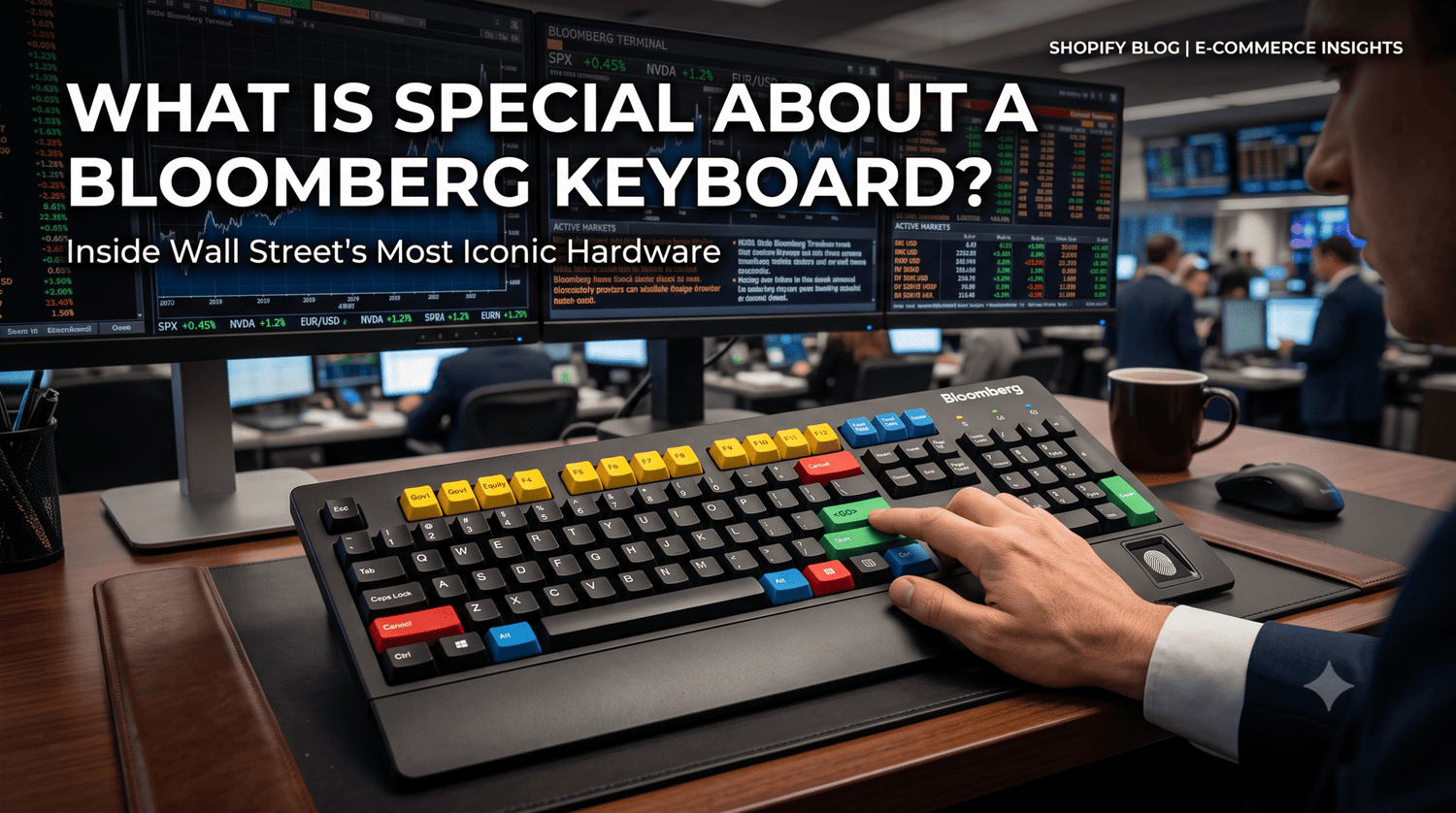
If you’ve ever walked past a trading desk in New York or London, or caught a glimpse of a financial news terminal, you’ve probably spotted it: a black keyboard popping with bright red, yellow, green, and blue keys.
To non-financiers, it looks like a retro toy or a custom artisan keycap build gone rogue. To traders, portfolio managers, and financial analysts, it is an essential piece of hardware that commands a $30,000+-a-year subscription service.
Having spent years testing everything from custom mechanical keyboards with ceramic keycaps to specialized workstation peripherals, I recently got my hands on a Bloomberg Keyboard 5 to test it out firsthand. Here is what actually makes the Bloomberg keyboard so special, how it functions under real market stress, and whether its unique features hold up today.

he official Bloomberg Terminal keyboard featuring its iconic color-coded keycaps.. Resource:Bloomberg
1. Color-Coded Functionality Built for Speed
The most striking visual element of a Bloomberg keyboard is its color layout. In institutional trading, a split second can mean millions of dollars. The color coding isn't just aesthetic; it’s an intuitive visual roadmap that minimizes search time:
-
Yellow Keys (Market Sectors): Positioned across the function row, these keys filter data by market asset class. One press of
Govt(F2),Corp(F3),Equity(F8), orCurnc(F11) routes the user directly to the relevant financial sector. -
Green Keys (Execution & Navigation): Green means action. The most famous is the key (which replaces the traditional
Enterkey). Typing a ticker followed by executes commands instantly. -
Red Key (Stop / Cancel): Sitting in place of the standard
Esckey, the bright red key drops active functions or halts data streams immediately. - Blue Keys (Panel & Window Navigation): Used to flip between multiple monitor windows or open specialized search options.
When typing on it, you quickly realize you don't use shortcut combinations like Ctrl + Shift + F. You hit dedicated single keys—a efficiency philosophy that custom macro pads try to replicate today.

Color-coded functional layout diagram of the Bloomberg keyboard.. Resource:Wikimedia Commons
2. Integrated Biometric Security (BSAT & B-Unit Dock)
Financial data security is non-negotiable. Standard password logins are too vulnerable for terminals handling sensitive market transactions.
Every modern Bloomberg keyboard features Bloomberg Secure Access Technology (BSAT)—a biometric fingerprint scanner embedded directly into the chassis. Newer models (like the Bloomberg Keyboard 4 and 5) also feature a built-in dock for the B-Unit—Bloomberg’s proprietary portable biometric authentication device.
During my testing, the fingerprint login verified users almost instantaneously, bypassing multi-step authenticator apps entirely.
3. Built-In VoIP, Speakers, and Dual Microphones
Unlike standard office keyboards that only register keystrokes, the Bloomberg keyboard acts as a full-fledged unified communications terminal:
- Integrated Stereo Speakers: Crisp audio for news alerts, squawk box broadcasts, and conference calls.
- Directional Microphone Array: Built directly into the top edge to filter out ambient noise from busy trading floors.
-
Dedicated Audio Jacks: Standard 3.5mm headphone and microphone ports directly on the board.
This turns the keyboard into an all-in-one communications center, eliminating extra desk clutter like external speakers or desktop microphones—a design choice many minimal desk setup enthusiasts appreciate.
Technical Specifications Comparison
How does a Bloomberg keyboard compare to standard office boards and modern custom mechanical setups? Here is a breakdown:
| Feature | Bloomberg Keyboard 5 | Standard Office Keyboard | Custom Mechanical Keyboard |
| Switch Type | High-durability Membrane / Scissor | Basic Rubber Dome | Mechanical / Hall-Effect / Magnetic |
| Primary Focus | Speed, Financial Macros & Security | General Computing & Low Cost | Typing Aesthetics, Sound & Ergonomics |
| Security | Built-in Fingerprint Scanner (BSAT) | None | None |
| Audio Hardware | Integrated Speakers & Dual Microphones | None | None |
| Customizability | Fixed Layout & Firmware | Low | Unlimited Keycaps, Switches & RGB |
| Price | Included with $30,000/yr Terminal | $15 - $50 | $100 - $300+ |
The Verdict: Feel vs. Functionality
From a typing feel perspective, key feel enthusiasts might be surprised. The Bloomberg keyboard is essentially a high-grade membrane board. It does not offer the tactile bump of a Cherry MX Brown, the deep "thock" of custom ceramic keycaps, or the ultra-low actuation speed of Hall-Effect magnetic switches.
However, it wasn't built for feel—it was built for speed and reliability.
If you are a financial analyst, the dedicated yellow sector keys and green <GO> button are unmatched productivity multipliers. But if you spend your day writing code, creating content, or gaming, a standard PC keyboard or custom mechanical setup will provide far superior typing comfort and wrist ergonomics.
Frequently Asked Questions
Can you use a Bloomberg Keyboard on a regular PC?
Yes! The Bloomberg Keyboard connects via standard USB and functions as a normal QWERTY PC keyboard for everyday typing. However, the special color-coded market sector keys and biometric functions require the official Bloomberg Professional software to work.
Can you buy a Bloomberg Keyboard separately?
Bloomberg LP generally leases these keyboards as part of their official terminal hardware package rather than selling them as standalone retail products. However, you can occasionally find legacy models (like Keyboard 3 or 4) on secondary markets like eBay.
Upgrade Your Desk Setup Experience
While most of us won't need a $30,000 financial terminal on our desks, we all deserve an elevated everyday typing experience. If you love the unique tactile feel, premium materials, and distinctive aesthetics of specialized desktop gear, explore our collection of Custom Keycaps & Desk Accessories to level up your workspace.
Have thoughts on unique workstation keyboards? Check out our guide on How Glass Keycaps Change Mechanical Keyboard Sound Profiles, or read official Bloomberg Terminal Documentation to learn more about professional market setups!



Để lại bình luận
Trang web này được bảo vệ bằng hCaptcha. Ngoài ra, cũng áp dụng Chính sách quyền riêng tư và Điều khoản dịch vụ của hCaptcha.