





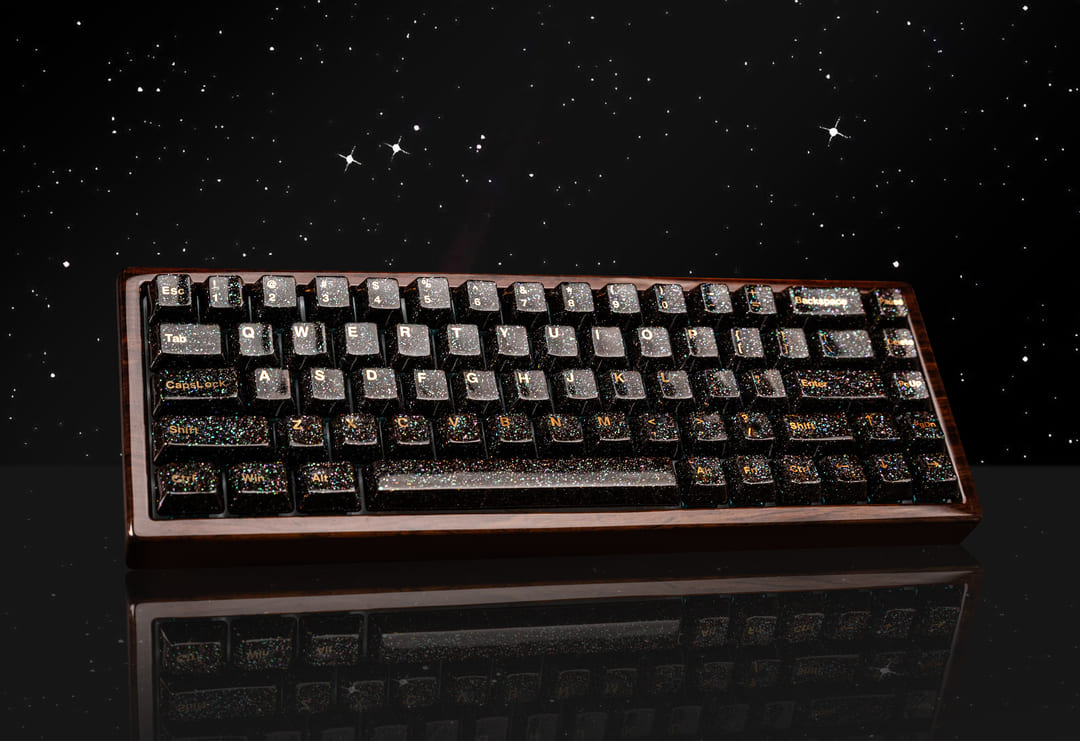
So, you’ve decided to dive into the world of 75% keyboards. It’s the "Goldilocks" of the mechanical keyboard world—not too big, not too small, but just right. But as you stand there with a bag of premium switches in your cart, one nagging question remains: How many switches do I actually need to buy?
Let’s break down the math, the layouts, and the nuances that separate a "compact" build from a "functional" masterpiece.
The Magic Number: 80 to 84 Switches
While a full-sized keyboard boasts 104 keys, the 75% layout typically requires 82 to 84 switches.
However, because most premium switches are sold in packs of 10, 35, or 90, the rule of thumb is simple: Always buy at least 90 switches. Why? Because bent pins happen, leaf chatter is real, and having a few spares for the future is much better than paying for shipping twice.
Why the "75%" Varies: Explaining the Layouts
Not all 75% boards are created equal. Depending on the design, your switch count will shift slightly.
1. The Exploded Layout (The Modern Favorite)
Think of boards like the GMMK Pro or the Keychron Q1. These have small gaps between the function row, the arrow keys, and the vertical navigation cluster.
- Switch count: Usually 81-82 keys.
- Vibe: Highly ergonomic and reduces "fat-fingering" the wrong key.
2. The Compact (Tightly Packed) Layout
These look like a solid brick of keys with no spaces in between (e.g., the KBD75).
- Switch count: Usually 84 keys.
- Vibe: Sleek and minimalist, but takes a few days for your muscle memory to adjust.
3. The Rotary Knob Factor
Many modern 75% boards replace the top-right key (often the Delete or Print Screen key) with a clickable volume knob.
- Impact: This reduces your switch count by 1.
75% vs. TKL: Why Choose the Smaller Sibling?
A Tenkeyless (TKL) keyboard usually has 87 keys. By moving to a 75% layout, you’re only losing about 3 to 5 keys, but you’re gaining significant desk real estate.
What you keep:
- The dedicated Function (F1-F12) row (Essential for gamers and coders).
- Dedicated Arrow keys.
- A vertical column of navigation keys (Home, End, Page Up/Down).
What you lose:
- The redundant "Navigation Island" (Insert, Scroll Lock, Pause).
- A bit of space between keys (in compact versions).
Expert Tips for Your 75% Build
As someone who has bent more than a few pins on a late-night build, here is my "pro-tip" checklist for European and American enthusiasts:
- Check your Right Shift: Most 75% boards use a 1.75u right shift key instead of the standard 2.75u. Make sure your keycap set includes this!
- The Bottom Row: Pay attention to the three keys to the right of the spacebar. They are typically 1u in size on a 75% board, whereas they are 1.25u on a standard layout.
- Stabilizers: You’ll typically need one 6.25u (or 7u) stabilizer for the spacebar and three to four 2u stabilizers for Enter, Left Shift, and Backspace.
Summary Table: Switch Count Cheat Sheet
| Keyboard Type | Typical Switch Count | Who is it for? |
| Full Size | 104 | Data entry & Accountants |
| TKL (80%) | 87 | Traditionalists |
| 75% Exploded | 81-82 | Gamers & Productivity power users |
| 75% Compact | 84 | Minimalists |
| 60% | 61 | Hardcore gamers / Minimalists |
Final Thoughts
Choosing a 75% keyboard is a statement that you value both desk space and functionality. Whether you’re clicking through a spreadsheet or dodging skillshots in an FPS, those 82-84 switches provide everything you need and nothing you don't.
Ready to start your build? My advice: grab a 90-pack of your favorite linear or tactile switches, a solid 75% aluminum kit, and enjoy the perfect balance of form and function.
FAQ: Everything Else You Need to Know About 75% Keyboards
Q: Can I use any mechanical switch for a 75% keyboard?
A: Generally, yes! Most 75% hot-swap PCBs support both 3-pin and 5-pin MX-style switches (like Cherry, Gateron, or Kailh). However, always double-check if your specific board is "North-facing" or "South-facing" to ensure compatibility with certain premium keycap profiles like Cherry profile.
Q: Do I need a special keycap set for a 75% layout?
A: This is a common pitfall! While most switches fit, the keycaps can be tricky. You’ll specifically need a 1.75u Right Shift key and often three 1u keys for the bottom row (Alt, Fn, Ctrl). Most "Base Kits" from high-end brands include these, but budget sets might not.
Q: Is a 75% keyboard better than a TKL (80%) for gaming?
A: Many gamers prefer 75% because it moves the mouse closer to your typing hand, improving ergonomics and giving you more "flick room" for your mouse. Since you keep the dedicated F-row, you don't lose any functionality for complex macros or RPGs compared to a TKL.
Q: Why is it called "75%" if it has over 80 keys?
A: The percentage refers to the physical footprint relative to a full-sized (104-key) keyboard, not the exact math of the key count. It’s a shorthand way for the community to categorize how much desk space the board will occupy.
Q: What are the best 75% keyboards for beginners in 2026?
A: If you’re looking for a solid entry point, the Keychron Q1 Max and the MonsGeek M1 remain gold standards for aluminum builds. For those who want high-performance gaming features like Hall Effect (magnetic) switches, keep an eye on the latest Wooting or SteelSeries compact releases.


Leave a comment
This site is protected by hCaptcha and the hCaptcha Privacy Policy and Terms of Service apply.