




Most people spend over 2,000 hours a year touching a keyboard without giving the hardware a second thought. They stick with whatever flat plastic slab came bundled in their monitor box or came glued into their laptop chassis.
Then the wrist soreness starts around 3:00 PM. Or maybe you miss three counter-strafes in a row during a ranked match because your keys feel like wet sponges.
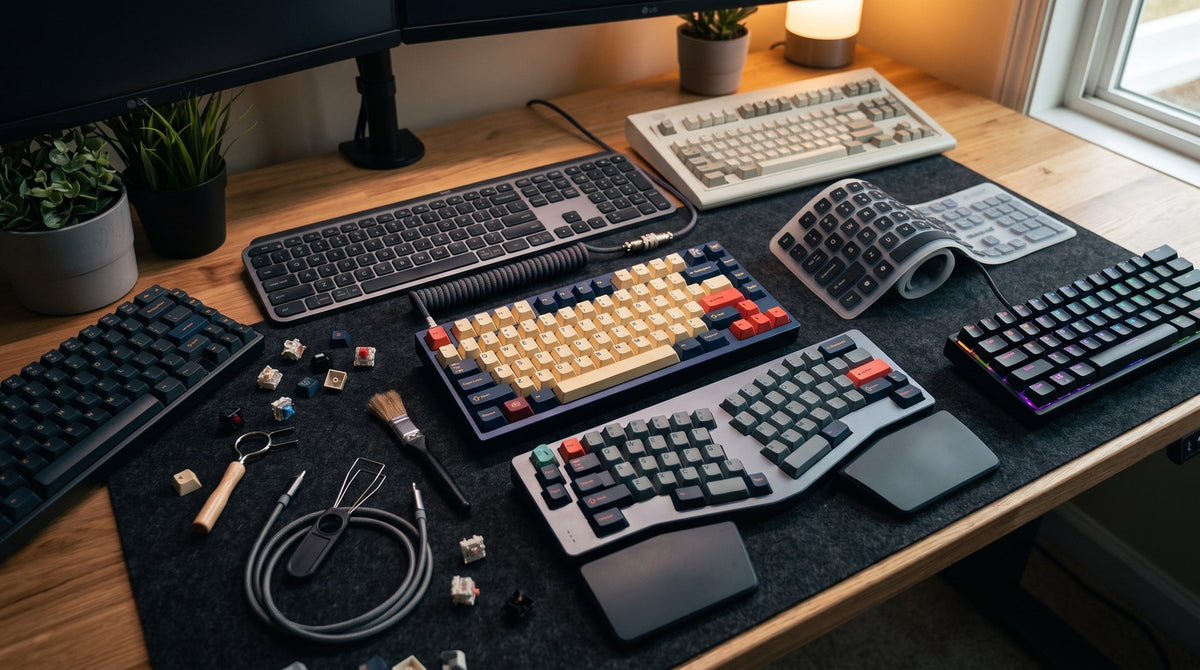
Keyboards are not one-size-fits-all tools. The mechanism underneath each keycap directly controls travel distance, bottom-out impact, muscle fatigue, and response speed. Below is a breakdown of the 12 distinct keyboard types on the market today, tested across daily typing marathons, coding sprints, and competitive gaming.

1. Mechanical Keyboards: The Gold Standard for Tactile Precision
Mechanical keyboards use an individual physical switch underneath every single keycap. Inside each switch sits a plastic stem, a metal coil spring, and copper leaf contacts. When you push down, the stem forces the metal contacts together to register the keystroke well before you hit the bottom plate.
In our studio switch bench tests, this partial actuation makes all the difference. You do not have to smash the key all the way down to get a registered letter. That reduces finger joint shock over an eight-hour shift.
-
Switch Variations:
- Linear (Red): Smooth, consistent glide with zero tactile bump. Popular among FPS players.
- Tactile (Brown): A subtle tactile "bump" halfway through travel that signals actuation without a loud click.
- Clicky (Blue): Sharp tactile resistance paired with a loud acoustic snap. Loved by solo writers, hated in open offices.
- Durability: 50 million to 100 million keystrokes per switch.
- Best For: Writers, programmers, and enthusiasts who want repairability and sound tuning.
- Recommended Next Step: Explore our Ultimate Guide to Linear vs. Tactile Switches to match your typing force.
2. Membrane Keyboards: The Silent, Budget Workhorse
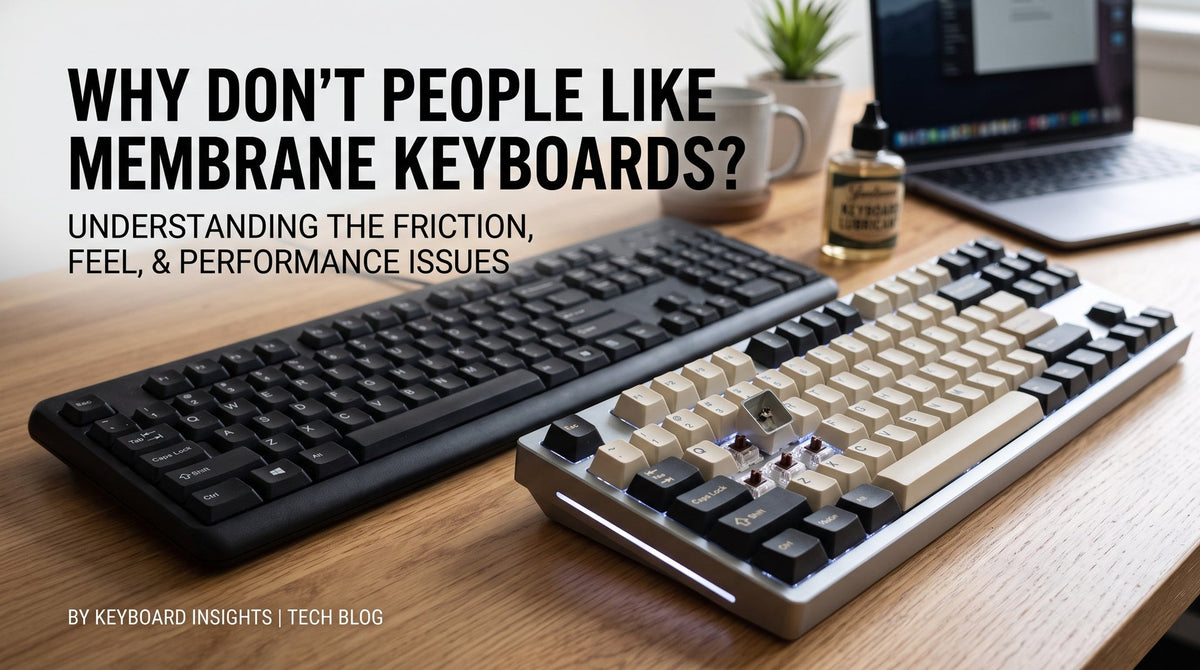
If you have ever used an unbranded black keyboard in a corporate cubicle, you have typed on a membrane. Instead of discrete switches, a membrane keyboard uses three layers: a top electrical trace sheet, an insulating spacer with holes, and a bottom conductive trace sheet. Above these sheets rests a single molded sheet of silicone or rubber domes.
Pressing a key squishes the rubber dome, bridging the circuit between the top and bottom membrane layers.
- Typing Experience: Mushy and resistive at the top, then collapsing abruptly. Because you must bottom out completely to register a keystroke, long typing sessions can cause fingertip fatigue.
- Durability: Typically 5 million to 10 million keystrokes before the rubber dries out or loses rebound elasticity.
- Pros: Extremely cheap to manufacture, quiet, and naturally splash-resistant due to the sealed rubber sheet.
- Best For: Budget office replacements, point-of-sale terminals, and shared quiet spaces.
3. Ergonomic Keyboards: Saving Your Wrists from Ulnar Deviation
Standard rectangular keyboards force your hands to turn outward at an unnatural angle (ulnar deviation) while keeping your palms flat against the desk (pronation). After weeks of crunching data, that twist can inflame the carpal tunnel.
Ergonomic boards break that mold. They come in three primary styles:
- Contoured "Wave" Boards: A single board with a curved keybed and reverse tilt.
- Alice / Arisu Layouts: Angled split key clusters on a single PCB, often with an integrated wrist rest.
- True Split Keyboards: Two physically independent halves connected via a cable, letting you position each half shoulder-width apart.

Switching to a 15-degree tented split setup eliminates the forearm burning sensation during intense drafting sessions. The learning curve takes about five to seven days, but your joints will thank you.
- Best For: Anyone suffering from RSI, tendonitis, or typing more than six hours daily.
- Pairing Tip: Check out our Ergonomic Memory Foam Wrist Rests to keep your wrists neutral.
4. Scissor-Switch Keyboards: Low-Profile Speed
Scissor switches are an evolution of the rubber dome, found in almost all modern laptops, Apple Magic Keyboards, and slim desktop boards like the Logitech MX Keys.
Underneath the low-profile keycap sits a pair of interlocking plastic arms that cross like a pair of scissors, surrounding a small rubber dome. This X-brace stabilizes the keycap, preventing key wobble even if you hit the edge of the spacebar.
- Key Travel: 1.0 mm to 1.8 mm (compared to 3.5 mm–4.0 mm on standard mechanical boards).
- Typing Feel: Crisp, snappy actuation with minimal finger travel. Ideal for quick touch-typists who glide across keys rather than digging into them.
- Best For: Travelers, minimalist home desks, and fast typists who prefer laptop-style shallow travel.
5. Hall Effect (Magnetic) Keyboards: The Competitive Esports Meta
Hall Effect keyboards have taken competitive gaming by storm. Instead of bending metal pins or closing electrical circuits, these switches house a permanent magnet inside the stem. The keyboard’s printed circuit board (PCB) features Hall Effect sensors that read the strength of the magnetic field as the key travels downward.
Because the sensor detects distance analogously rather than binary (on/off), you get features impossible on standard boards:
- Rapid Trigger: The key resets the instant you let off pressure by as little as 0.1 mm, without having to cross a fixed reset point. In titles like Valorant or Counter-Strike 2, counter-strafing stops your character instantly.
- Adjustable Actuation: Set the spacebar to actuate at 2.5 mm to prevent accidental jumps, while setting WASD to 0.4 mm for hair-trigger reactions.
- Wear-Free Longevity: Zero metal contact friction means switches routinely exceed 100 million presses.
6. Optical Keyboards: Light-Beam Actuation
Optical keyboards bridge standard mechanical housings with photoelectric sensors. When a key is at rest, the stem blocks an infrared light beam inside the switch socket. Depressing the key lowers a stem cutout, allowing the infrared beam to hit a light sensor on the PCB, completing the signal.
- Zero Debounce Delay: Traditional copper leaves bounce slightly when touching, forcing firmware to add a 5 ms–15 ms "debounce delay" to avoid double-typing. Optical switches do not bounce, delivering near-zero latency.
- Drawback: They lack the analog, multi-point depth sensing of modern magnetic Hall Effect boards.
- Best For: Gamers wanting lightning-fast input response without investing in magnetic sensor platforms.
7. Hybrid / Mem-chanical Keyboards: The Middle Ground
Hybrid keyboards attempt to combine the tactile feedback of a mechanical board with the low-cost production of a membrane sheet.
Inside, each key has a slider housing that mimics a mechanical stem—often incorporating a click leaf or tactile spring. However, the bottom of that slider still pushes down onto a rubber dome and circuit membrane.
- Reality Check: While they deliver an audible click and more distinct tactile travel than standard budget rubber domes, they still degrade like membranes over time. If a single trace fails, you cannot simply swap a switch.
- Best For: Entry-level gaming setups on a strict sub-$40 budget.
8. Wireless & Multi-Device Keyboards: Cable-Free Minimalists
Wireless keyboards are defined by connectivity rather than switch mechanics. Today’s top wireless boards combine mechanical or scissor switches with dual-band connectivity:
- Bluetooth 5.0+: Low power consumption, pairs with up to three or four devices (tablets, laptops, phones) at the touch of a hotkey. Latency runs around 15 ms to 30 ms—fine for coding and emails, but too slow for competitive gaming.
- 2.4 GHz RF Dongle: Uses a dedicated USB receiver to deliver 1,000 Hz polling (1 ms latency), matching wired performance.
If you jump between a work Mac and a personal gaming PC at the same desk, a wireless board with a physical toggle switch eliminates cable clutter entirely.
9. Custom Hot-Swappable Keyboards: The Builder’s Choice
Historically, swapping a keyboard switch required a soldering iron, desoldering pump, and hours of tedious bench work. Hot-swappable keyboards feature Kailh or Gateron sockets pre-soldered to the back of the PCB.
You can pull out a switch using a simple metal puller and snap in a new one in five seconds.
- Customization Scope: Swap out plate materials (brass for stiffness, polycarbonate for deep flex), add poron foam dampeners, and lube your stabilizers to transform a hollow clack into a satisfying, deep "thock."
- Best For: Enthusiasts who want a bespoke setup without needing electrical engineering tools.
- Explore Kits: Browse our collection of Hot-Swappable Barebone Keyboard Kits.
10. Flexible & Silicone Roll-Up Keyboards: Niche Portability
Made entirely of sealed medical-grade silicone, these keyboards can be rolled into a cylinder and slipped into a backpack pocket. The internal circuitry is encased in water-impermeable rubber.
- Typing Experience: Bluntly put, typing on one feels like pressing your fingers into stale bread dough. Tactile feedback is nonexistent, and mistypes are frequent.
- Where They Shine: Sterile medical environments, dusty auto repair shops, and marine vessels where keyboards must be submerged in disinfectant or sprayed with a hose.
11. Projection (Virtual) Keyboards: Pocket Novelty
Projection keyboards use a small optical module that beams a red or infrared QWERTY layout onto a flat desk surface using a laser diode. An infrared sensor at the base of the projector tracks where your fingertips break the beam grid.
- Practical Limitations: You are literally tapping your fingertips against bare wood or laminate desks. There is zero key travel, no physical edge detection, and bright daylight can blind the infrared sensor.
- Best For: Tech demonstrators or emergency backup input from a pocket-sized keychain projector.
12. Chorded & Stenography Keyboards: High-Speed Language Engines
Unlike standard keyboards where one key equals one character, chorded keyboards require you to press multiple keys simultaneously—much like playing a chord on a piano.
Stenotype machines used by court reporters are the ultimate expression of this concept. With only 22 to 24 keys, stenographers press phonetic syllables in single strokes, consistently exceeding 225 to 300 words per minute (WPM). Single-handed chorded controllers (like the Twiddler) allow wearable text input for technicians and accessibility users.
- Best For: Court reporters, transcriptionists, and accessibility setups requiring rapid single-hand operation.
Side-by-Side Comparison: Which Keyboard Matches Your Needs?
| Keyboard Type | Actuation Mechanism | Average Key Travel | Lifespan (Keystrokes) | Sound Profile | Primary Use Case |
| Mechanical | Individual metal-leaf switch | 3.5 – 4.0 mm | 50M – 100M | Configurable (Silent to Loud) | Typing, programming, enthusiast builds |
| Membrane | Silicone dome + 3-layer trace | 3.0 – 4.0 mm | 5M – 10M | Muffled, quiet | Budget office work, general computing |
| Ergonomic | Varies (Mechanical / Scissor) | 1.8 – 4.0 mm | 10M – 100M | Depends on switch type | RSI prevention, long-hour desk work |
| Scissor-Switch | Scissor X-hinge + low dome | 1.0 – 1.8 mm | 10M – 30M | Crisp, low decibel | Laptops, slim home offices, travel |
| Hall Effect | Magnetic flux sensor | 0.1 – 4.0 mm (Adjustable) | 100M+ | Smooth, medium clack | Competitive FPS gaming, rapid trigger |
| Optical | Infrared light beam barrier | 3.0 – 4.0 mm | 100M+ | Clicky or linear clack | Esports gaming, dust-prone desks |
| Hybrid | Plunger slider + rubber dome | 3.0 – 3.8 mm | 10M – 20M | Artificial clicky sound | Entry-level budget gaming |
| Wireless | Varies (Bluetooth / 2.4 GHz) | Varies | Varies | Varies | Multi-device workflows, clean desk setups |
| Custom Hot-Swap | Modular solderless sockets | Tunable | 50M – 100M | Acoustic modding (Thock/Clack) | Hobbyists, custom acoustics & aesthetics |
| Flexible Silicone | Sealed carbon contact pads | 1.0 – 2.0 mm | 1M – 5M | Dead silent | Medical clinics, cleanrooms, fieldwork |
| Projection | Laser beam + IR sensor | 0 mm (Flat desk) | Infinite (No parts) | Artificial speaker beep | Ultra-compact novelty travel |
| Chorded / Steno | Phonetic multi-key levers | 1.5 – 3.0 mm | 50M+ | Soft click | Real-time court reporting, transcription |
How to Choose Your Next Keyboard in 3 Steps
- Audit Your Daily Pain Points: If your forearms ache or your wrists flare up by Friday afternoon, stop looking at standard boards and invest in a split Ergonomic board. If missed keystrokes in competitive lobbies are holding you back, switch to a Hall Effect magnetic board.
- Consider Your Environment: If you share a home office or work in an open floor plan, avoid Clicky Blue mechanical switches. Opt for a lubed linear mechanical switch, an ergonomic scissor board, or high-end membrane setup.
- Decide How Much You Want to Tinker: If you want a keyboard that grows with your tastes, pick a Hot-Swappable Custom Mechanical board. You can swap switches and keycaps whenever your preferences change without buying a new deck.
Ready to upgrade your desk setup?Browse our curated Featured Collection: Ergonomic & Hot-Swappable Mechanical Keyboards, backed by our 30-day typing comfort guarantee.

Leave a comment
This site is protected by hCaptcha and the hCaptcha Privacy Policy and Terms of Service apply.