




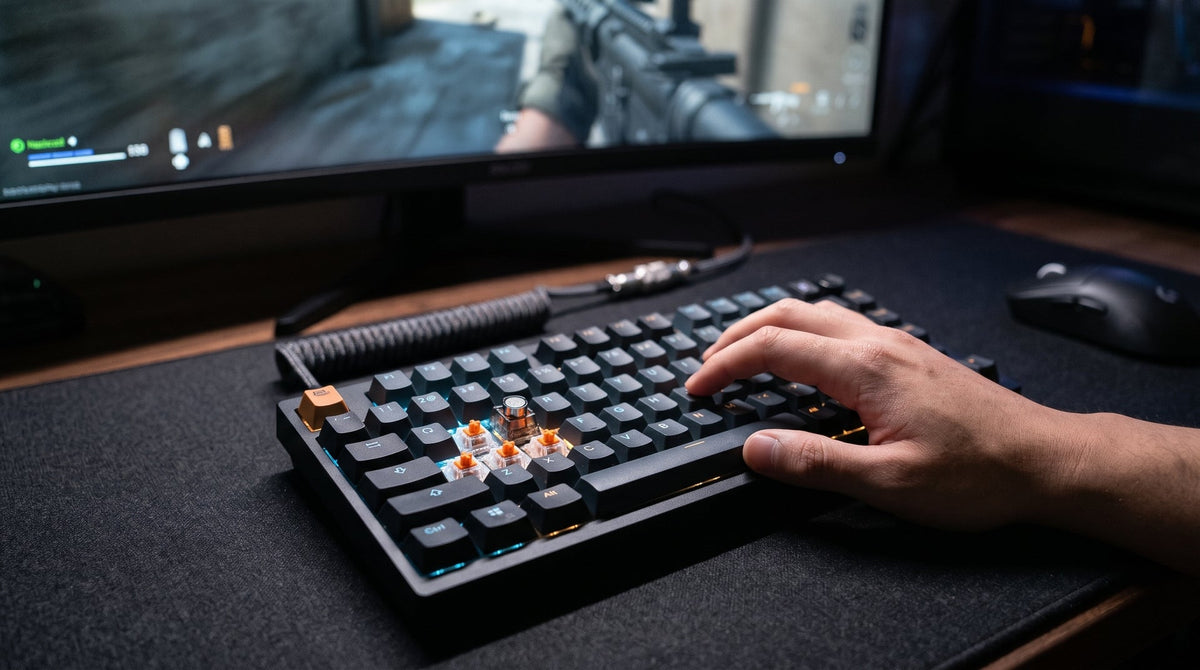
If you have ever lost a gunfight in Valorant or Counter-Strike 2 because your character kept sliding a fraction of a second after you lifted your finger off the
A or D key, you already know the bottleneck of traditional mechanical keyboards.
It isn't your reaction time. It's a tiny piece of folded metal inside your switch.
Over the past couple of years, rapid trigger keyboards have gone from a niche rhythm-game curiosity to the standard setup on almost every pro esports desk. Yet if you read most product pages, the explanations sound like dense electrical engineering textbooks.
Here is what rapid trigger actually means in plain English,how the hardware works under the hood,and what happened when we daily-drove one for three weeks of ranked matches and regular office work.

The Short Answer: Dynamic Reset vs. Fixed Reset
A rapid trigger keyboard uses magnetic switches (most commonly Hall Effect sensors) to dynamically change where a key activates and resets based on how your finger moves—not on a fixed physical point inside the switch.
On a standard mechanical keyboard,a key has to travel down to a set depth (usually around
2.0mm to register a press, and then travel back up past a fixed reset line before you can press it again.
With rapid trigger turned on,the switch resets the exact millisecond you start lifting your finger,even if you only move it up by
0.1mm . As soon as you push back down—again, by as little as 0.1mm —it fires immediately.You never have to wait for the keycap to climb all the way back to the top.
Why Traditional Mechanical Switches Have a Speed Limit
To appreciate why this matters,it helps to look at what happens inside a classic Cherry MX-style mechanical switch.
Inside a traditional switch, pressing the stem pushes two tiny metal leaves together to complete an electrical circuit. Because metal vibrates when it snaps together,manufacturers build in something called hysteresis —a deliberate gap between the actuation point (going down) and the reset point (coming up). Without that gap,a single keypress would accidentally register two or three times.
That physical safety buffer works great for reliability, but it creates dead travel distance:
-
You press the key down
2.0mmto move left. - You spot an enemy and lift your finger to stop.
-
Nothing happens during the first
0.2mmto0.5mmof upward movement because the metal leaves haven't separated yet. - Only after crossing that fixed reset line does your character finally come to a halt.
In slow-paced games,nobody notices a
0.4mm travel delay. In tactical shooters where stopping dead in your tracks determines whether your first bullet lands straight or flies into a wall,that dead zone feels like mud.
How Hall Effect Magnetic Switches Pull This Off
Rapid trigger doesn't use metal contact leaves at all.Instead, modern Hall effect magnetic keyboards rely on three simple components:
- A permanent magnet embedded inside the bottom of the switch stem.
- A Hall sensor soldered directly onto the keyboard's PCB underneath each key.
- Firmware that reads voltage changes hundreds or thousands of times per second.
As you press the key down, the magnet moves closer to the sensor, increasing the magnetic field strength. Because the sensor measures continuous analog distance rather than a simple "on/off" click, the keyboard knows the exact position of every key—down to
0.01mm increments on newer boards—at any given moment.
No physical contact means zero metal debounce delay, no friction wear on contact leaves, and the freedom to set your actuation and reset behavior purely through software.

Mechanical vs. Optical vs. Rapid Trigger: Side-by-Side
Not every fast gaming keyboard has rapid trigger. Many players confuse optical switches or "Speed Silver" mechanical switches with magnetic rapid trigger boards. Here is how they actually differ on the desk:
| Feature | Traditional Mechanical (e.g., Red / Speed Silver) | Optical Switches | Hall Effect (Rapid Trigger) |
| Trigger Mechanism | Physical metal leaf contact | Infrared light beam interruption | Magnetic flux sensor (analog) |
| Actuation Point | Fixed (1.2mm – 2.0mm) |
Fixed (1.0mm – 1.5mm) |
Adjustable (0.1mm – 4.0mm) |
| Reset Point | Fixed below actuation line | Fixed near actuation line | Dynamic (resets on upward motion) |
| Debounce Delay | 5ms – 15ms needed |
Near zero (<1ms) |
Zero physical debounce (<1ms) |
| Customizability | Fixed by hardware | Fixed by hardware | Per-key sensitivity & dual-action mapping |
| Typing Comfort | Best tactile & acoustic variety | Smooth, sometimes hollow sound | Smooth linear feel; needs profile tweaks for typing |
What It Actually Feels Like in Real Use (Our 3-Week Test)
Specs on a box are one thing; muscle memory is another.We swapped our daily desk board for a 60% and 75% compact gaming layout equipped with adjustable magnetic switches and ran it through two very different routines:nightly competitive gaming and 8-hour workdays writing emails and spreadsheets.
1. In Tactical FPS Games (Valorant & CS2)
The first two matches honestly felt weird. When you are used to lifting your finger high off
A before tapping D to counter-strafe, a 0.15mm rapid trigger setting feels hyper-sensitive—almost like the keyboard is reading your mind before your finger finishes moving.
By day four, once muscle memory adjusted,the difference in jiggle-peeking corners was undeniable.Micro-adjustments between cover felt noticeably crisper because lifting my ring finger a hair immediately killed my momentum. Did it magically boost our rank overnight? No. Aim and crosshair placement still do 90% of the heavy lifting. What it did remove was that frustrating feeling of fighting sluggish key travel during tight engagements.
2. In Rhythm Games (osu!)
If you play high-BPM streams,rapid trigger isn't a subtle upgrade—it is night and day.Because you don't have to let the keycap return to the top of its housing between rapid taps,finger fatigue drops dramatically during long stamina bursts.
3. The Catch: Typing Emails at 0.1mm Is a Nightmare
Here is what most marketing hype leaves out:if you set rapid trigger to
0.1mm across the whole board and try to write a document, you will hate it.
Humans naturally rest their fingers on the home row (
ASDF / JKL;) and the left Shift key. At hair-trigger sensitivity, the sheer weight of your resting pinky will spam aaaaaaa across your screen or accidentally trigger shortcuts while you pause to think.
The practical fix: Always use a board that supports onboard profile switching. We kept Profile 1 dialed to
0.2mm actuation with 0.15mm rapid trigger strictly for FPS games, and mapped a hotkey to switch to Profile 2 ( 1.8mm standard actuation, rapid trigger off) the second we opened Slack or Google Docs.
Three Things to Check Before Buying One
If you are shopping for a rapid trigger board right now, don't just buy the first model with the biggest "0.01mm" badge on the box. Pay attention to three details that actually affect daily reliability:
- Software Stability & Web Drivers: You are going to tweak actuation points often during your first week.Look for boards with lightweight,browser-based web configurators rather than bloated background apps that eat RAM or wipe your profiles after a Windows update.
-
Dead Zone & Temperature Calibration: Magnets slightly expand and contract as your room warms up or during long gaming sessions. Good firmware includes automatic calibration and an adjustable bottom dead zone (
0.1mm–0.2mm) so your keys don't stay stuck when bottomed out hard. - Acoustics and Keycap Quality: Early magnetic keyboards sounded notoriously clacky and hollow. Newer enthusiast-grade models pair magnetic PCBs with silicone dampening foam,lubricated stabilizers, and thick custom PBT keycap sets so the board sounds deep and solid rather than like cheap plastic.
Who Should Skip Rapid Trigger?
You don't need to spend extra money on magnetic switches if:
- You primarily play single-player RPGs,strategy games,or casual co-op titles.
- You love heavy tactile bumps or loud clicky switches (like Cherry MX Blues or Holy Pandas)—because Hall Effect relies on smooth linear magnet travel,true mechanical tactility is still hard to replicate.
- You mostly type and want a traditional custom mechanical feel without ever touching configuration software.
Ready to Feel the Difference on Your Desk?
If competitive shooters or rhythm games make up most of your screen time, switching to magnetic rapid trigger is one of the few peripheral upgrades you can genuinely feel within five minutes of plugging it in.
Explore our latest lineup of pre-lubed Hall Effect rapid trigger keyboards—built with aluminum frames, multi-layer sound dampening,and instant profile switching so you can jump from
0.1mm tournament sensitivity to comfortable everyday typing with a single keystroke.

Leave a comment
This site is protected by hCaptcha and the hCaptcha Privacy Policy and Terms of Service apply.