

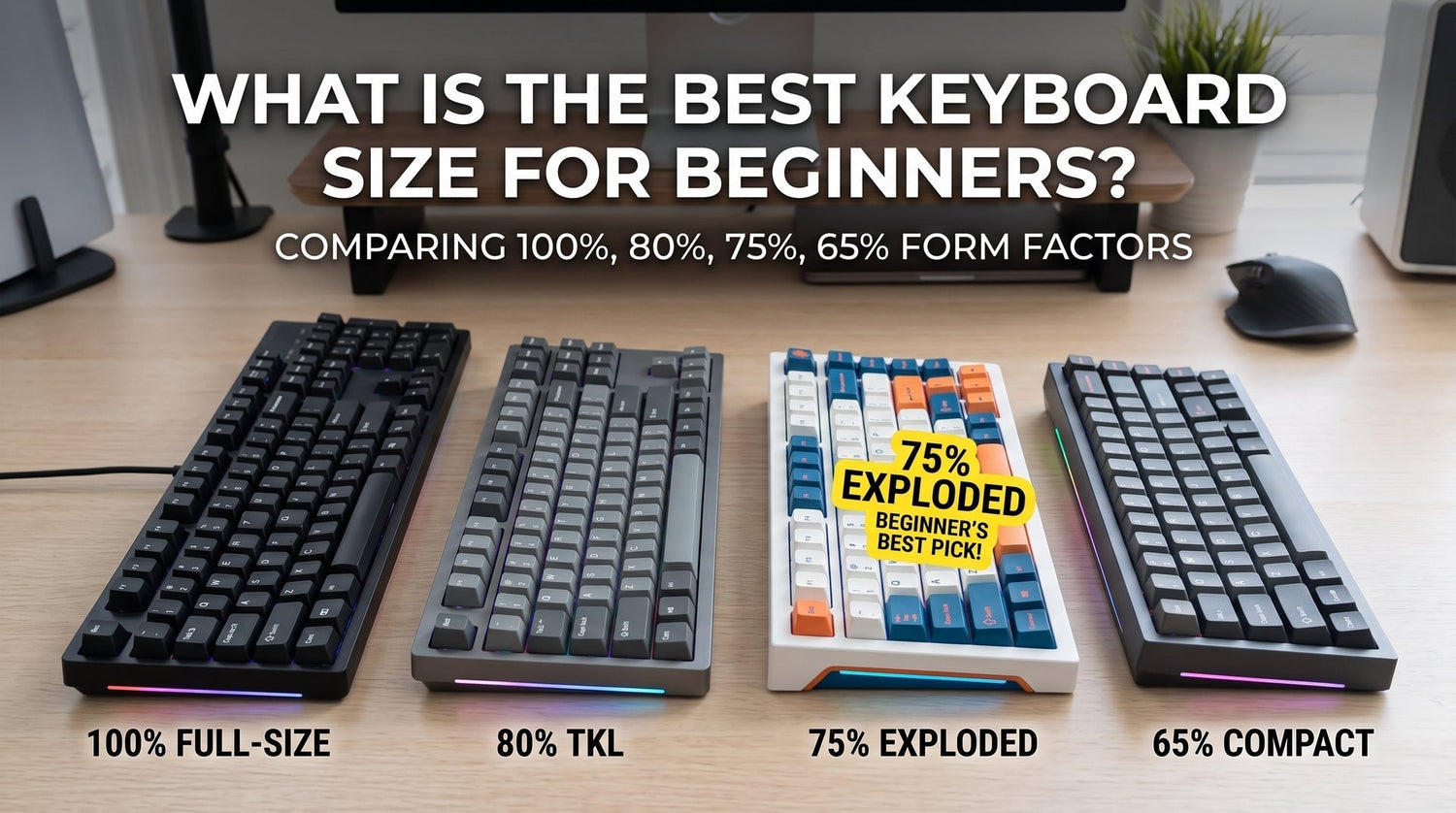
If you are buying your first mechanical keyboard, skip the trap of agonizing over red versus brown switches for three days. The single spec that will actually make or break your day-to-day comfort is keyboard size (also known as form factor).
Choose the wrong size, and you will either spend your week hitting awkward key combinations just to adjust your volume, or you will wonder why your mouse keeps clacking against the right side of a massive plastic slab.
If you just want the direct answer from our workbench testing: get an exploded 75% keyboard.
It frees up roughly 8 to 10 centimeters of horizontal desk space compared to a standard office keyboard, improves your shoulder posture immediately, and does not strip away your arrow keys or function row.

Why Keyboard Size Matters More Than You Think
When people move from a standard pre-built office board or a laptop to a custom mechanical keyboard, they usually don't realize how much real estate a traditional keyboard wastes.
A standard full-sized keyboard is roughly 44 cm (17.3 inches) wide. When you center your hands on the home row (
F and J keys) to type, your right arm has to reach an extra 15 to 20 degrees outward just to rest on your mouse. Over an 8-hour workday or a weekend gaming marathon, that flared-out shoulder angle causes noticeable trapezius and upper-back fatigue.Dropping to a compact layout pulls your mouse closer to your center of gravity. But cut away too many keys too fast, and your typing speed will tank while you wrestle with layer shortcuts.
The 4 Major Contenders Compared
While custom builds range from pocket-sized 40% boards to massive 100% terminals, beginners should realistically only consider four options:
| Layout Size | Typical Key Count | Dedicated Arrows? | Dedicated F-Row? | Extra Mouse Space vs Full-Size | Best Use Case | Learning Curve |
| Full-Size (100%) | 104 – 108 | Yes | Yes | 0 cm (Baseline) | Heavy Excel / Data Entry | Zero |
| TKL (80%) | 87 | Yes | Yes | ~8 cm | Traditionalists / Writers | Zero |
| 75% (Exploded) | 82 – 84 | Yes | Yes | ~10 cm | Best Overall for Beginners | Minimal (1–2 days) |
| 65% | 66 – 68 | Yes | No | ~12 cm | Pure FPS Gamers / Minimalists | Moderate (Fn layers) |
1. The 75% Layout: The Undisputed Sweet Spot
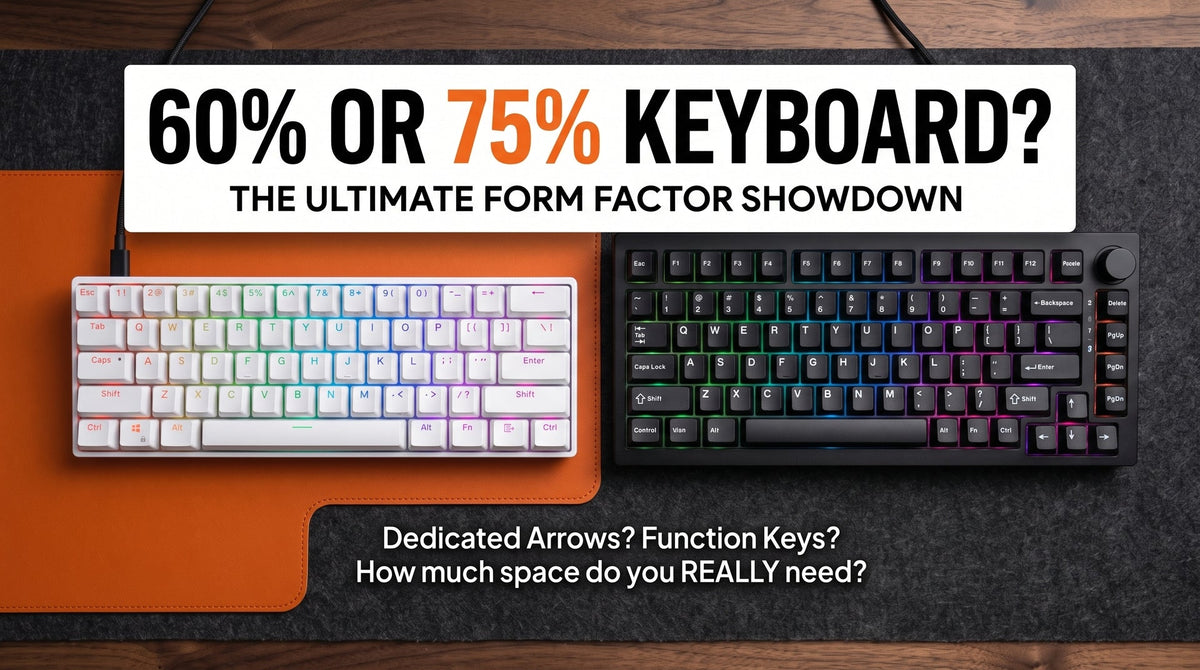
A 75% keyboard brings together nearly everything you need into a tight, rectangular footprint. It retains your full number row, dedicated arrow keys, a condensed navigation column (usually
Del, Page Up, Page Down), and the crucial top F1–F12 row.

Why it works so well for newcomers:
-
No
Fngymnastics for daily tasks: You can still refresh browser tabs withF5, rename files withF2, or adjust volume without holding down a modifier key. - Instant laptop parity: If you are accustomed to typing on a MacBook or modern 14-inch Windows laptop, a 75% keyboard mirrors that exact physical spacing.
- Desk ergonomics: You gain roughly 10 cm of mouse sweep room without losing critical editing keys.
Workbench Tip: When shopping for a 75% board, look for an "exploded" 75% layout rather than a "compact" 75%. An exploded layout leaves small 0.5u gaps between the alphanumeric block, the arrow keys, and the top row. That tiny gap helps your fingers find the arrow cluster by tactile feel alone, preventing you from accidentally slamming the rightShiftorEnterkey.
2. TKL (Tenkeyless / 80%): The Zero-Risk Safe Bet
If you want more mouse room but hate the idea of keys bunched tightly together, a Tenkeyless (TKL) board is your safest transition.
A TKL is literally a standard full-size keyboard with the number pad sawed off. The spacing between the function row, the arrow cluster, and the 9-key navigation island remains 100% standard.
- Pros: Zero adjustment period; 100% compatible with every aftermarket keycap set on the market.
- Cons: Still slightly wider than it needs to be (~36 cm wide).
If you do lots of long-form editing or coding where muscle memory for
Insert, Delete, Home, and End is hardwired into your hands, TKL will feel like home immediately.3. 65% Keyboards: For Gamers Who Still Need Arrow Keys
A 65% keyboard cuts the top function row entirely, giving you 66 to 68 keys.
Unlike an ultra-minimalist 60% board (which removes dedicated arrow keys entirely), a 65% board preserves real arrow keys and a vertical strip of 3 to 4 navigation keys.
- Pros: Gorgeous minimalist aesthetic; gives low-DPI tactical shooter players (Valorant, CS2) massive mouse pad clearance.
-
Cons: Accessing
F1–F12or brightness/media shortcuts requires two-key combinations (e.g.,Fn + 1forF1). If you play MOBAs or RTS games that rely heavily on quick-cast F-keys, skip this layout.
4. Full-Size (100%): Do You Actually Need That Numpad?
Almost every beginner thinks they need a 100% keyboard because it is what came in the box with their first office desktop.
Here is the test we run on our own desk setups: open a notepad and tally how many times you actually strike the dedicated number pad over three days. Unless you are entering ledger entries, doing financial accounting, or using specialized CAD shortcuts, you almost certainly type numbers using the top row without noticing.
If you truly need a numpad for occasional tax season work, buy a standalone mechanical numpad that sits off to the side or stows in a drawer when not in use. Don't sacrifice everyday posture for an accessory you use 5% of the week.
An Important Note on Keycap Customization
Once you dive into mechanical keyboards, chances are you will want to personalize your board with custom switch types or specialized keycap materials.
Here is a common beginner pitfall: compact boards use non-standard key sizes.
-
A standard full-size or TKL keyboard uses a wide
2.75uright Shift key and standard1.25ubottom row keys (Ctrl,Win,Alt). - Most 75% and 65% boards squeeze the arrow keys in by shortening the right
Shiftkey to1.75uand using1umodifier keys on the right side of the spacebar.
If you plan to upgrade to premium keycap sets—such as sculpted profiles, artisan novelties, or [heavy-thock ceramic keycaps]—make sure the keycap kit explicitly lists support for 75% layouts (including 1.75u Shift and 1u bottom mods).
Which Size Should You Pick? (Quick Decision Checklist)
- Buy an Exploded 75% if: You want the best balance of desk space and functionality, you do both office work and gaming, and you do not want a steep learning curve. (90% of buyers should start here.)
- Buy a TKL (80%) if: You want a familiar feel with standard spacing and zero risk of misclicking condensed keys.
-
Buy a 65% if: You primarily play competitive FPS games, want a clean desk setup, and rarely use the
F1–F12row. - Buy a Full-Size (100%) if: You enter numerical data into spreadsheets for multiple hours every single day.
Next Steps for Your Setup
Ready to start building or upgrading your desk space? Check out our hands-on guides to get the sound and feel right on the first try:
- Measure your desk mat: Ensure your board leaves at least 25–30 cm of horizontal clear space on your mouse pad for fluid wrist movement.
- Dial in the acoustics: Explore our guide on [how keycap materials affect mechanical keyboard sound profiles] to achieve that clean, low-pitched thock.
- Explore beginner-friendly boards: Browse our curated collection of [factory-tuned 75% mechanical keyboards and hot-swappable setups] designed to get you typing comfortably out of the box.

Để lại bình luận
Trang web này được bảo vệ bằng hCaptcha. Ngoài ra, cũng áp dụng Chính sách quyền riêng tư và Điều khoản dịch vụ của hCaptcha.